Magic Fill for Spiral
Learn about Magic Fill for Spiral, PuzzleMe's tool for creating spirals from scratch.
Magic Fill for Spiral brings Magic Fill, PuzzleMe's crossword generation tool, to Spiral puzzles. It uses the same underlying dictionary, scoring, and filtering system to build a fully worked spiral for you, without hand-building a .txt file. If you'd rather construct a spiral by hand, or import one you've already built, see Upload formats.
Using Magic Fill for Spiral
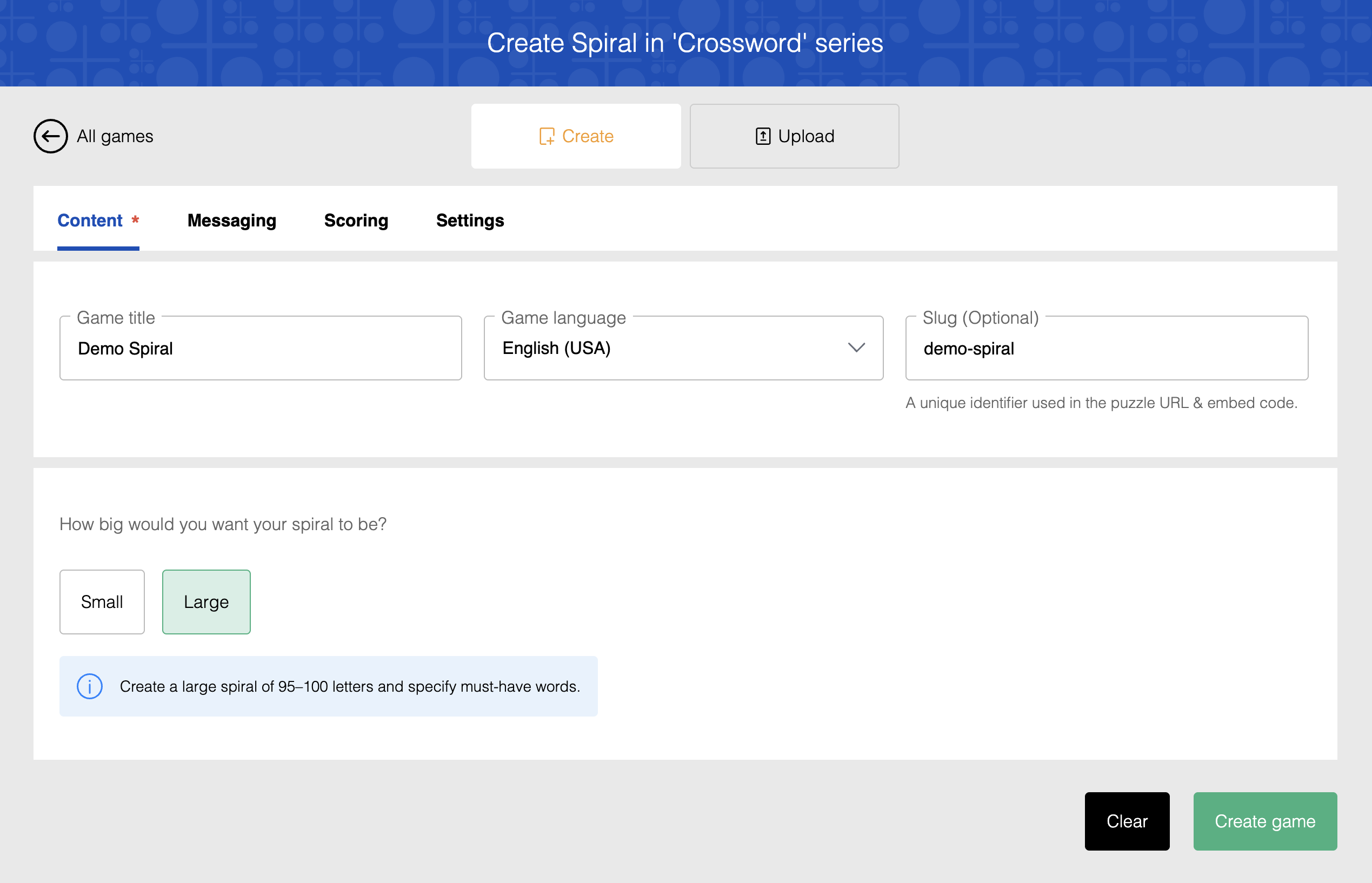
- From your dashboard, click Create, then click New game.
- On the "New Game" screen, select Spiral, choose your series, and click Create.
- Enter your Game title, select the Game language, and optionally enter a Slug.
- Choose a size: Small (a compact spiral of 20-25 letters) or Large (a large spiral of 95-100 letters).
- Click Create game to open the Magic Fill for Spiral page.
Configuring Magic Fill for Spiral
Step 1: Dictionaries
Dictionary selection and word scoring work the same way as Magic Fill for crosswords:
- Built-in dictionaries: Choose from PuzzleMe's curated word lists, including English and Indian-language options.
- Custom dictionaries: Upload your own word list to fill spirals with words you prefer. Custom dictionaries and blocklists are stored only in your current browser, not on your PuzzleMe account.
- Blocklists: Upload a list of words to exclude entirely, even if they appear in a selected dictionary.
- Score cutoffs: Set a minimum word score and a minimum grid score to pre-filter weaker words and solutions before generation runs.
See Magic Fill's Word scoring and Score cutoffs sections for more detail; the behavior is identical here.
Dictionaries for Indian languages have to be installed by PuzzleMe and cannot be uploaded directly. Contact support if you need one added.
Step 2: Spiral constraints
Because a spiral is a single continuous chain of letters rather than a 2D grid, this step configures the chain instead of a grid layout:
- Must-have words: Enter optional must-have words, comma- or newline-separated. These words are guaranteed to appear in every suggested spiral. Words that don't fit your word length range, or that can't fit within the total length of the spiral, are rejected before generation runs.
- Word length range: Set the minimum and maximum length for individual words used in the spiral. Defaults are 4 and 12.
Generating and selecting a spiral
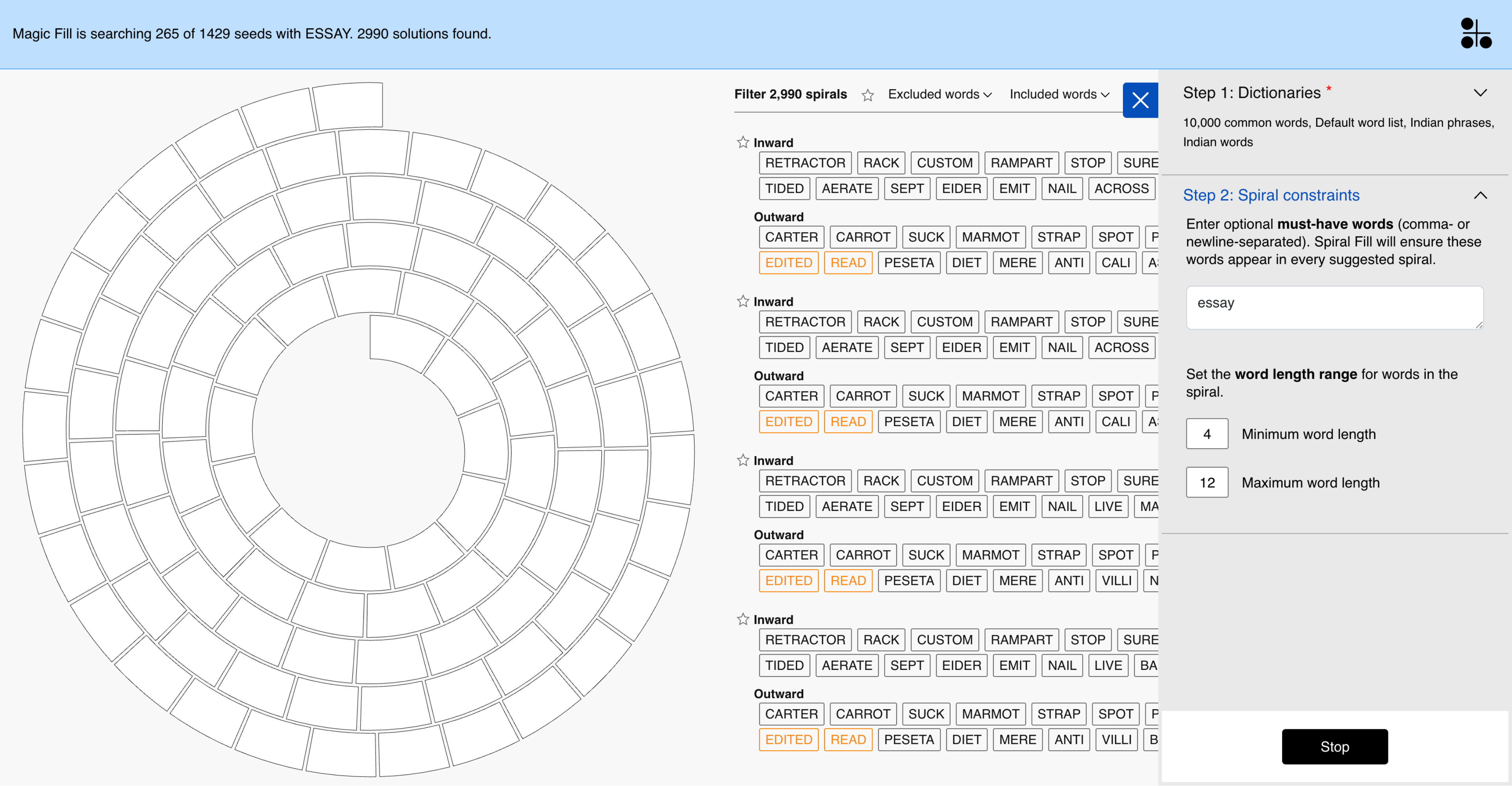
You'll be presented with multiple candidate solutions, each shown as its inward and outward word chips. Every solution has a grid score (the sum of its word scores) and a minimum word score (its weakest word), which the filters below let you narrow by. If none of the initial candidates meet your needs, generate more to get additional options.
Filtering solutions
Use these filters to narrow down the list of solutions:
- Included words: Only show solutions that include specific words.
- Excluded words: Exclude solutions that contain certain words.
- Grid score: Filter by minimum total solution score.
- Word score: Filter by minimum word score, so you can focus on solutions where even the weakest word meets a quality threshold.
Star a solution to bookmark it, then use the star icon next to the solution count to view only your pinned solutions for easier comparison.