iframe embed
Understand when and how to embed PuzzleMe™ puzzles with an iframe.
An iframe embed is a standard HTML <iframe> whose src points to your puzzle on PuzzleMe. Your page hosts the frame; PuzzleMe loads and runs the puzzle or the puzzle picker inside it. No PuzzleMe JavaScript is required on your site.
Good fit when you want:
- The fastest copy-paste embed
- Full control over the iframe URL and attributes on your page
- A simple embed without social sharing, multiplayer invites, or cross-session progress
Keep in mind: the iframe only knows what you put in its src. Features that depend on the parent page URL, first-party cookies, or share-link handling need custom code from your team—or use JS embed, which handles those for you.
Get the embed code
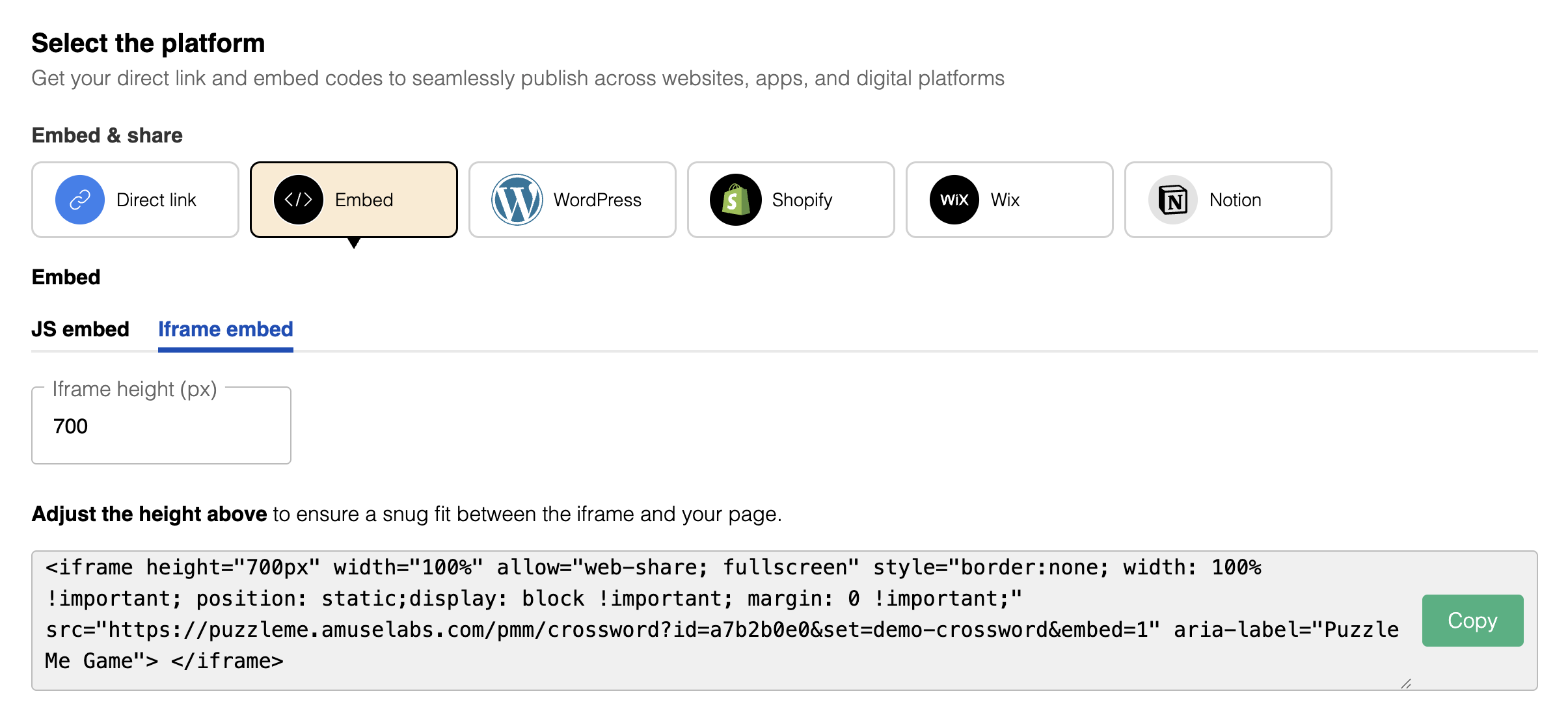
- Open your puzzle and click Preview.
- On the Preview page, click Publish.
- On the Publish page, open the Embed tab.
- Select the iframe embed sub-tab.
- Set iframe height if needed (pixels).
- Click Copy.
Add it to your page
Paste the snippet into your page HTML inside <body>, where the puzzle should appear. The iframe loads the puzzle from PuzzleMe; visitors play it without leaving your site.
- Open your page’s HTML.
- Paste the iframe snippet at the desired location.
You can change width and height on the iframe to fit your layout. See iframe dimensions for sizing guidance.
Set the iframe src only once, after the full URL (including any UIDs or parameters) is ready. Changing src again can cause double loads and extra usage.
Next steps
- Iframe dimensions — sizing for desktop and mobile
- Custom parameters — customize behavior via URL
- JavaScript embed — full features with less engineering