Scoring & analytics
Learn how to access scores, play data and leaderboards for your puzzle solvers
Scores and timing are calculated only on our servers, not in the solver's browser, using the point and time settings you configure when setting up the contest. This also keeps contest mode secure — puzzle answers are never sent to the client, so scoring can't be tampered with even by someone who interferes with the code on the page.
Play by Play
To view the scores for a puzzle, click on the Analytics icon in front of the puzzle. On the analytics page, scroll down to the "Play by Play" section, where you can see information for each play of your puzzle.
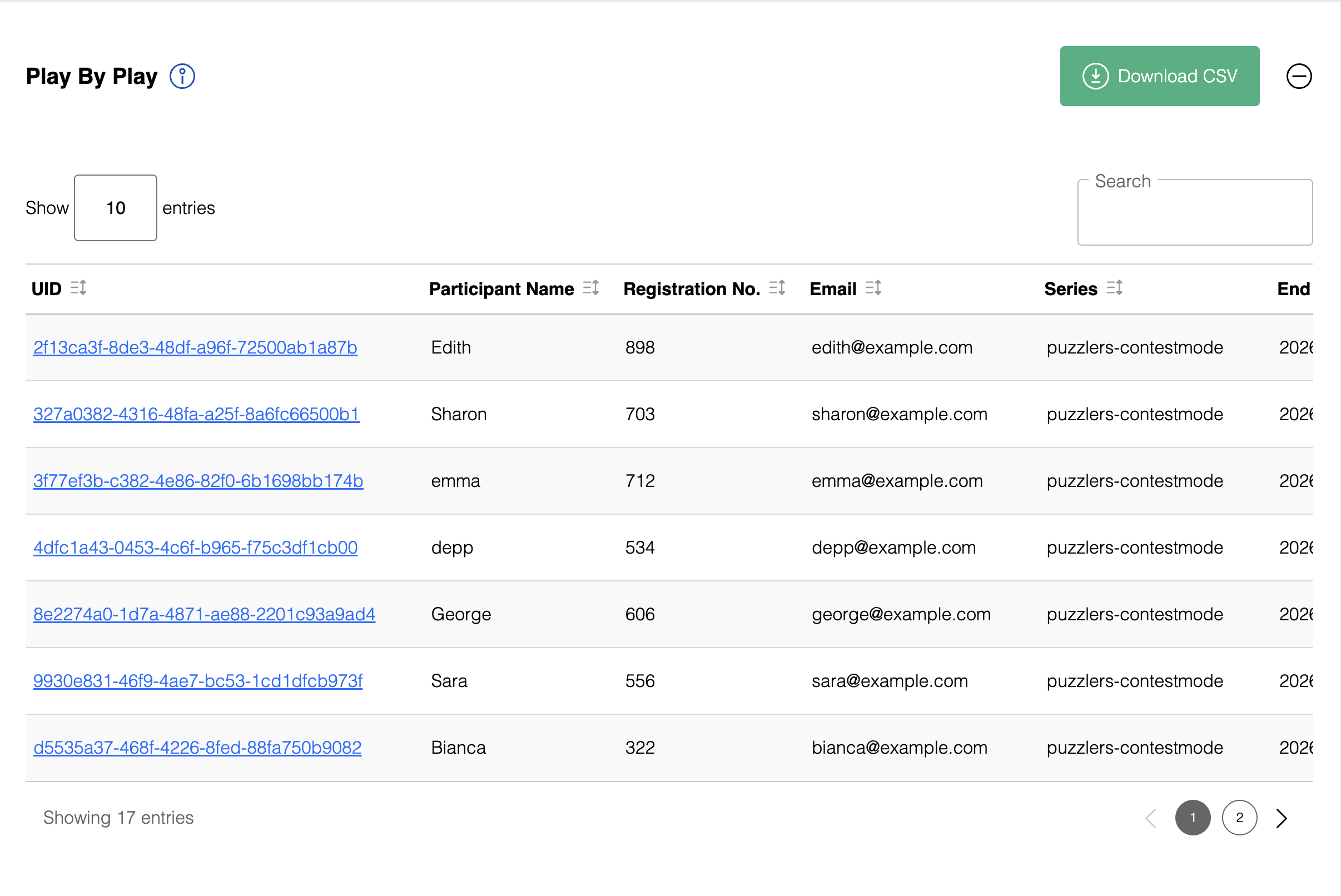
You can search and sort the plays table from within the Play by Play section itself.
If you have enabled lead generation, the collected participant information will be shown in the respective columns. You can use these to associate solver's performance and scores with their identities.
Plays table items
- UID : User ID used to uniquely and anonymously identify a user in the plays table
- Lead-gen fields : One column for each field you've enabled under lead generation, containing whatever the solver entered
- Series : The series the puzzle belongs to
- Start timestamp : When the puzzle was first loaded, in UTC time zone
- End timestamp : When the puzzle was submitted, in UTC time zone
- Puzzle ID : The unique ID of the puzzle
- Server time taken : The time taken between the first load of the puzzle and submission, as recorded by our server. This feature is implemented only for Contest Mode puzzles, and is more robust and reliable than On Screen time taken. We recommend using the Server Time taken metric, wherever possible.
- Progress : The state of the puzzle for each play. This can take the value of Loaded, Solving or Submitted.
- Score : The solver's score, calculated using the formula you configure in Score calculation
- On screen time taken : The time taken between the first load of the puzzle and submission, as recorded by the user’s browser. This feature is available for both contest and non contest mode puzzles, but is less reliable than Server Time taken. We recommend using the Server Time taken metric, wherever possible.
- Words correct : The number of words correctly entered for the puzzle. For Crosswords, this reflects how many words were completely and correctly entered into the grid. For quizzes, this reflects how many questions were correctly answered.
- Boxes correct : The number of boxes in the grid with a correctly entered answer. This metric is only applicable to grid based games, such as Crossword and Sudoku.
- Play ID : A unique identifier for this specific play
To download this information to your computer, click the "Download Plays as CSV". This will download a CSV file, which you can use to build custom scoring options and leaderboards.
Leaderboards
Leaderboards are available on our Plus, Professional and Enterprise plans.
Click the Leaderboard button at the top of the puzzle's analytics page to view it.
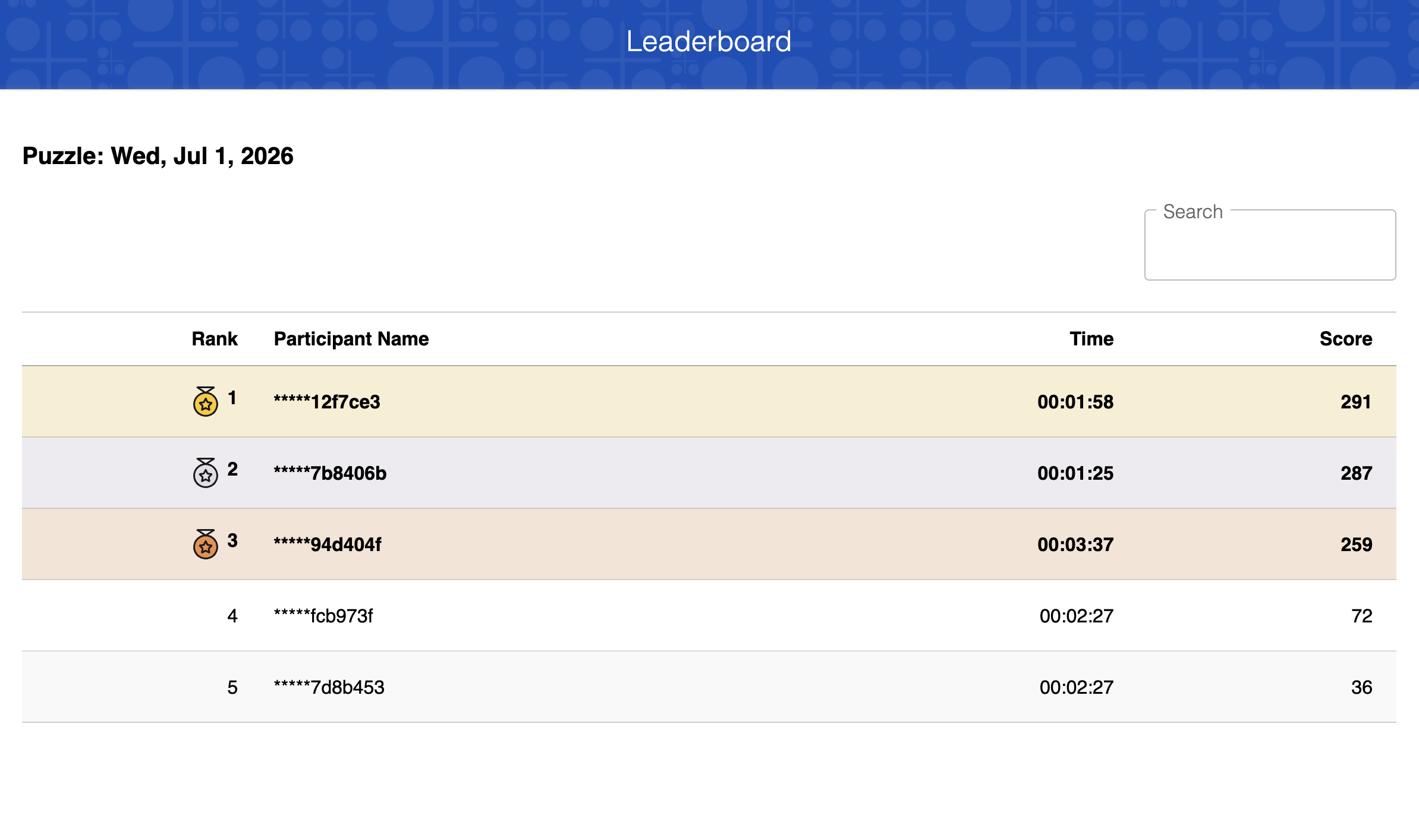
This leaderboard is for a single puzzle. It lists solvers by their raw UID, ranked by score, and doesn't map UIDs to names or other lead-gen details. Score is calculated using the formula you configure in Score calculation.
If you want to map UIDs to solver details, or build a leaderboard spanning multiple puzzles or days, you can do this yourself using the Play by Play CSV export above, which has both the UID and any lead-gen details in the same row.
For contest mode puzzles, leaderboards are ranked using server time, with second-level precision. Always use server time, not on-screen time, when scoring officially.