Clues editor
Learn the clue tools used to write, organize, and validate clues before publishing.
Clues guide players to each answer and define much of the solving experience. On the Edit grid and clues page, the clues editor lets you write, update, and link clues, including clue text, media, hints, explanations, and cross-references, and run Cross-Check.
Cross-Check reviews clue-and-answer pairs and flags possible issues before publish. See Cross-Check for details.
The clues editor has the following options:
- Edit clues
- Edit word lengths (shown when Show word lengths in clues is enabled)
- Autofill clues
- Link clues
- Unlink all clues
- Cross-Check
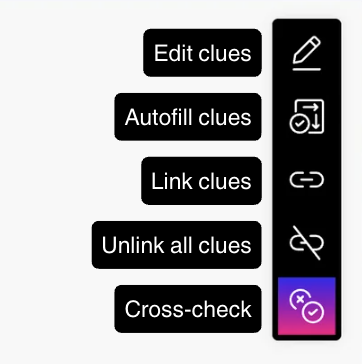
Edit clues
On Edit grid and clues, start by clicking Edit clues. Then click the clue you want to update, make your edits in the pop-up, and save when you are done.
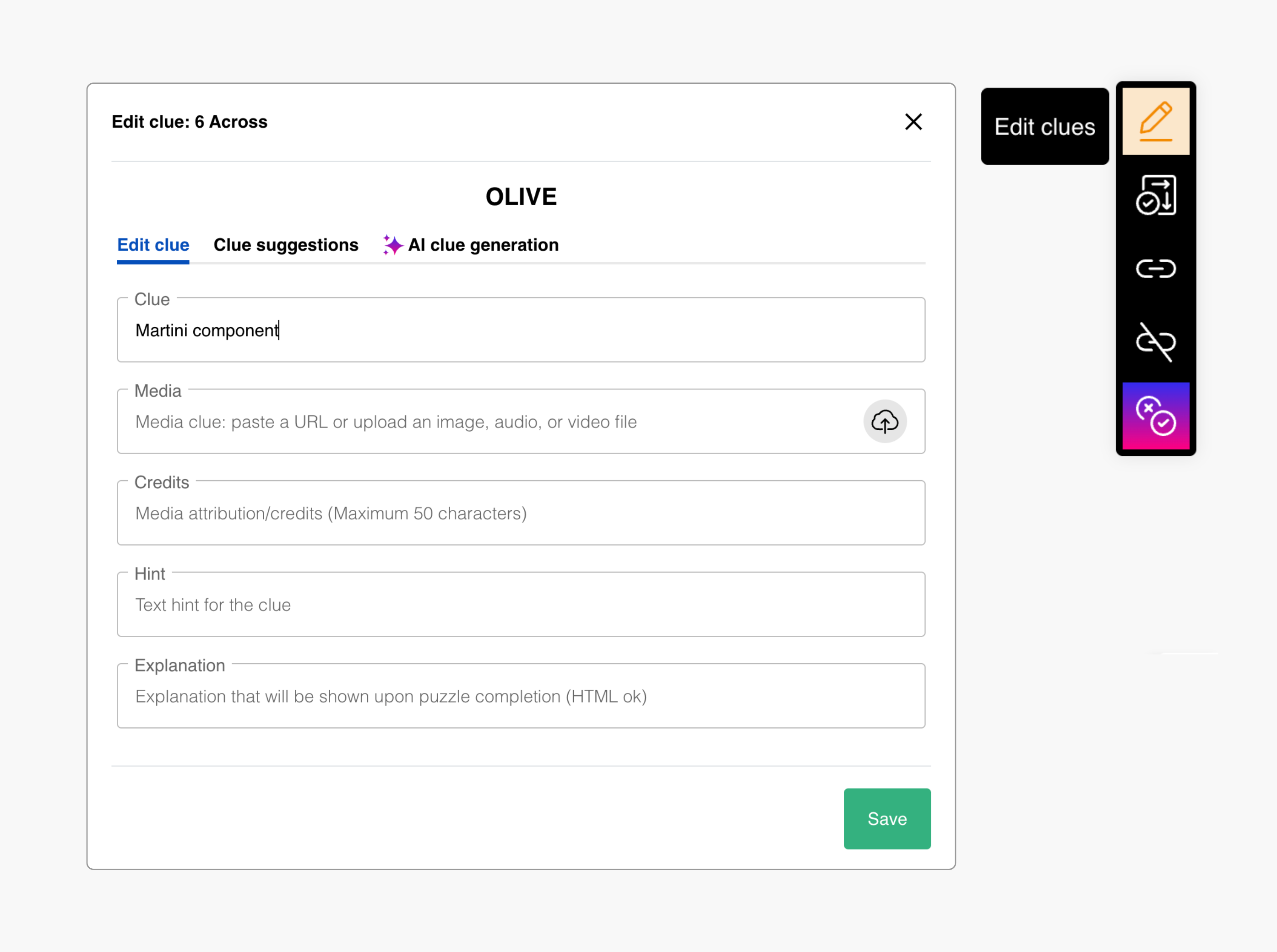
- Edit clue is where you can write or revise the clue text and update fields such as media, credits, hint, and explanation.
- Clue suggestions shows previously used clues for the selected entry; you can use them directly or adapt them. You can also use Clue Theme (Beta) to reorder suggestions by theme keywords.
- AI clue generation lets you generate new clue options for the selected entry. Add optional context if you want more specific suggestions.
AI-generated clues can contain mistakes. Always review for factual accuracy and style fit before saving.
Formatting clues
You can use HTML formatting tags in clue text when creating puzzles in the creator form, or when editing clues in the grid editor. This is useful for emphasizing proper names (people, books, movie titles, etc.), formatting formulas, or highlighting important parts of a clue.
| Tag | Description | Example |
|---|---|---|
<b>, <strong> | Bold text | <b>Identify</b> the author |
<i>, <em> | Italic text | Author of <i>Pride and Prejudice</i> |
<u> | Underline | Identify the <u>author</u> |
<strike> | Strikethrough | Not <strike>Shakespeare</strike> |
<sub> | Subscript | Chemical formula H<sub>2</sub>O |
<sup> | Superscript | 19<sup>th</sup> century |
<br> | Line break | First line<br>Second line |
<span> | Inline styling | <span style="color:red">Hint:</span> |
<a href="URL"> | Hyperlinks | <a href="https://example.com">Learn more</a> |
<div style="..."> | Custom CSS | <div style="color:blue">styled text</div> |
Try entering these examples into the clue field to see how these formatting tools work.
Autofill clues
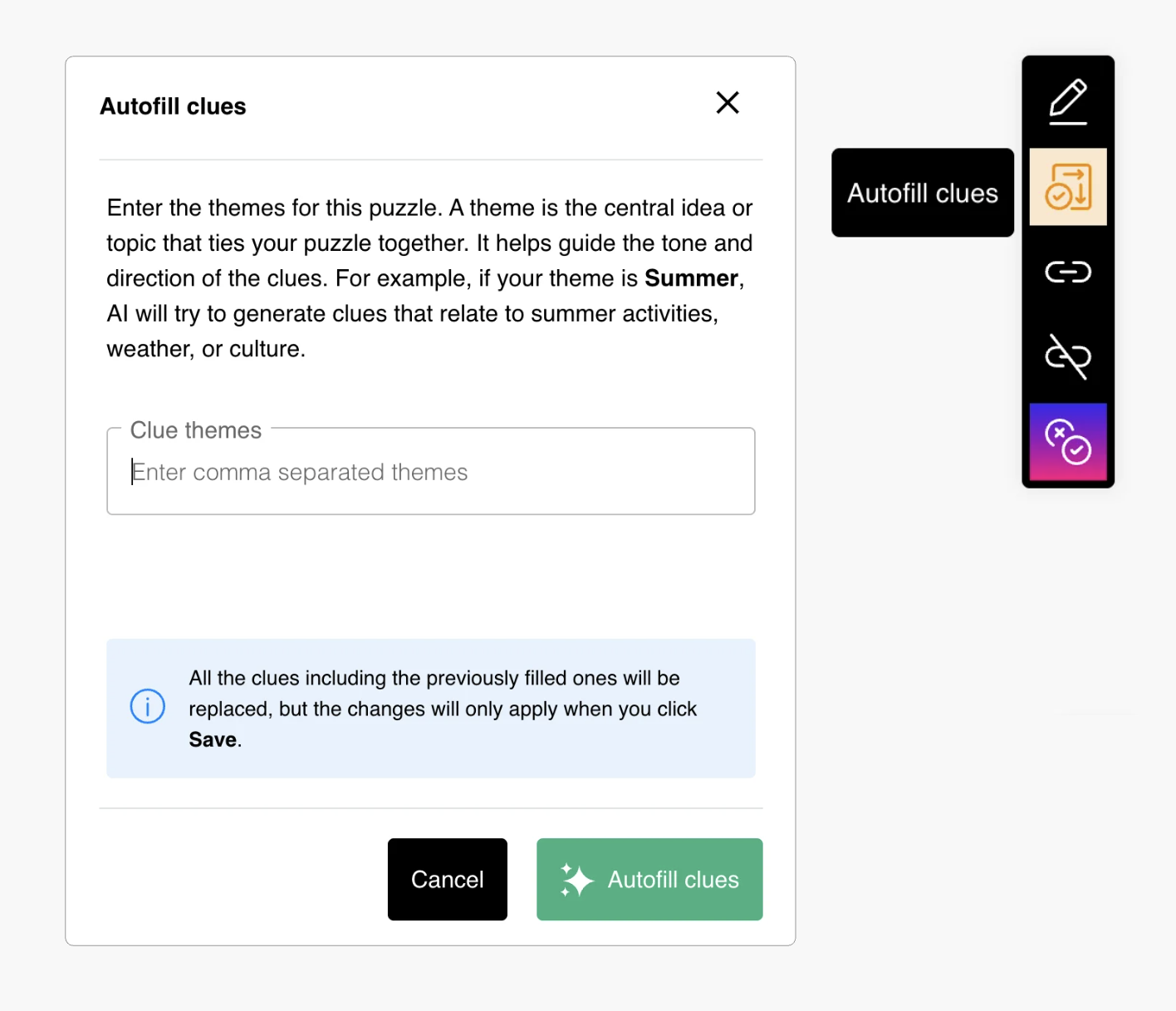
Use Autofill clues when you want first-draft clue coverage quickly across entries.
This is useful for:
- Early drafting on large grids
- Rebuilding clues after major fill changes
- Getting starting points before manual editing
Treat autofill output as draft text and revise tone, difficulty, and precision before publish.
Edit word lengths
When the series setting Show word lengths in clues is enabled, an Edit word lengths option appears in the clues toolbar on Edit grid and clues.
Use this option to update how word lengths are shown with clues in the puzzle interface. You can enter word lengths using commas or hyphens (for example, 2,5,3, 2-4, or 1-1-1,7).
Ensure that the total of the entered word lengths matches the total length of the answer.
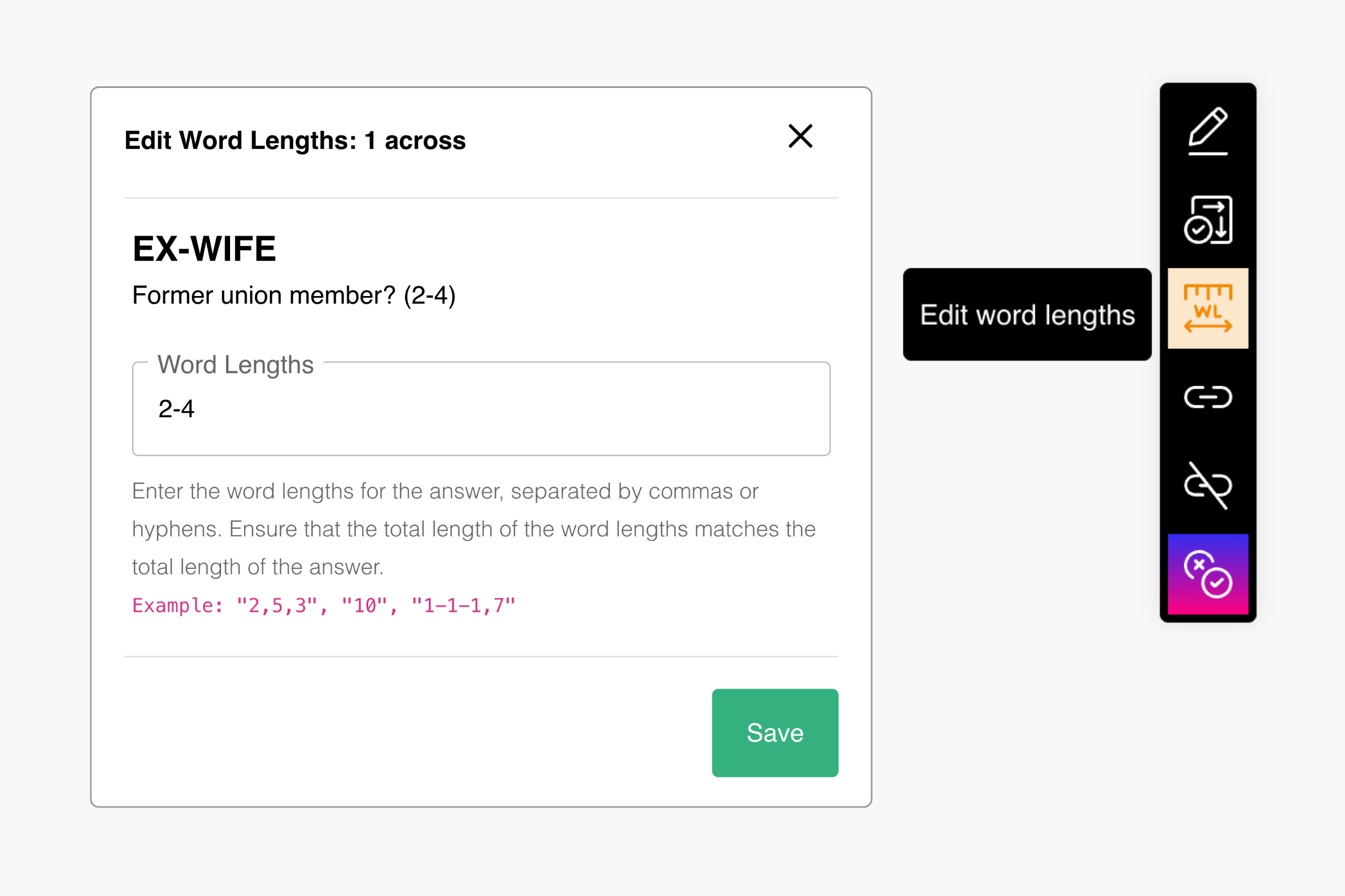
This option is available only when Show word lengths in clues is enabled in game settings or series settings.
Link clues
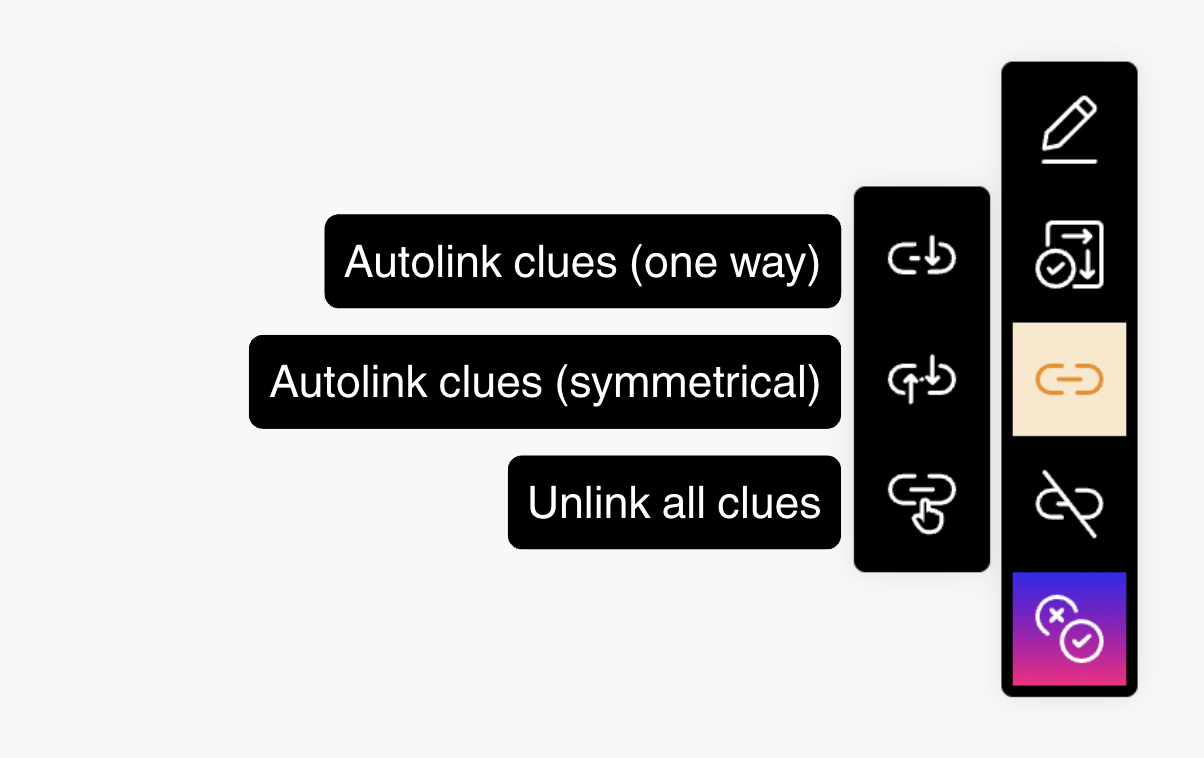
Clue linking allows you to create cross-reference crosswords where clues are interconnected. These references add an extra layer of challenge and engagement for solvers.
Use Link clues to create these connections. There are two link types:
- One-way links: selecting clue A highlights clue B only
- Symmetric links: selecting either clue highlights both entries
Autolink clues
Autolinking automatically links clues by parsing the clue text for references to other entries. This method requires you to explicitly mention the linked entry within the clue text using the format [Number][Orientation], where Number is the entry's number in the grid, and Orientation is either Across or Down (case-sensitive).
- Make sure clue references use valid numbering and
Across/Down. - Click Link clues.
- Select autolink clues (one way) or autolink clues (symmetrical).
- Review detected groups and confirm.
Link clues manually
Manual linking allows you to create symmetric clue links without needing explicit references in the clue text. This method requires you to select clues directly to form linked groups.
- Click Link clues.
- Select link clues manually (symmetrical).
- Select clue groups in the editor.
- Save the group.
- Repeat as needed.
Before leaving this page, make sure to click Save in the top bar to keep your latest edits. Use Reset if you want to discard unsaved changes from the current session.
Unlink all clues
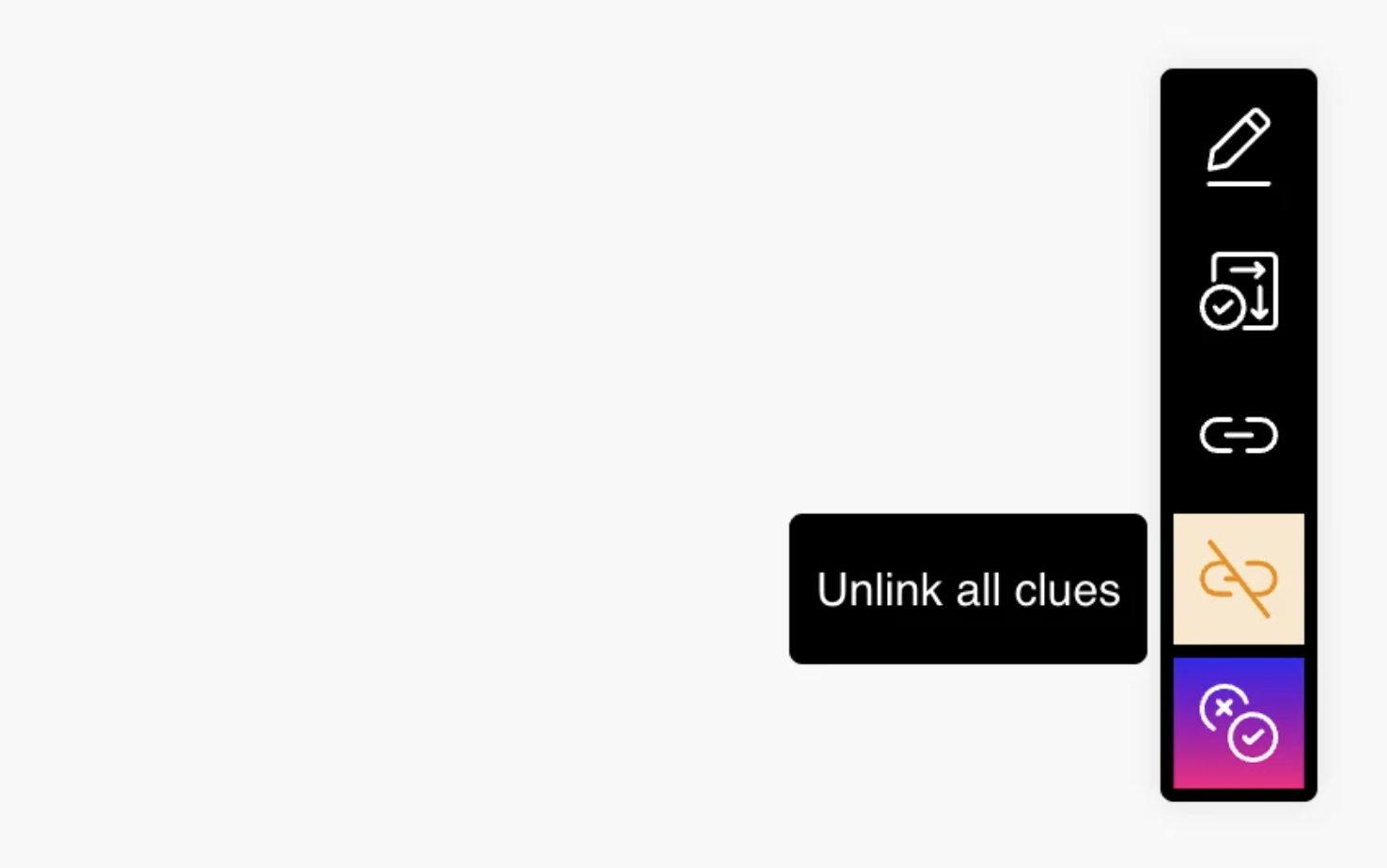
Once clues are linked—either through autolinking or manual linking—you cannot directly edit the links. To modify or remove clue links, first unlink all existing links and then recreate them.
After unlinking, recreate links with autolink or manual linking.
Cross-Check
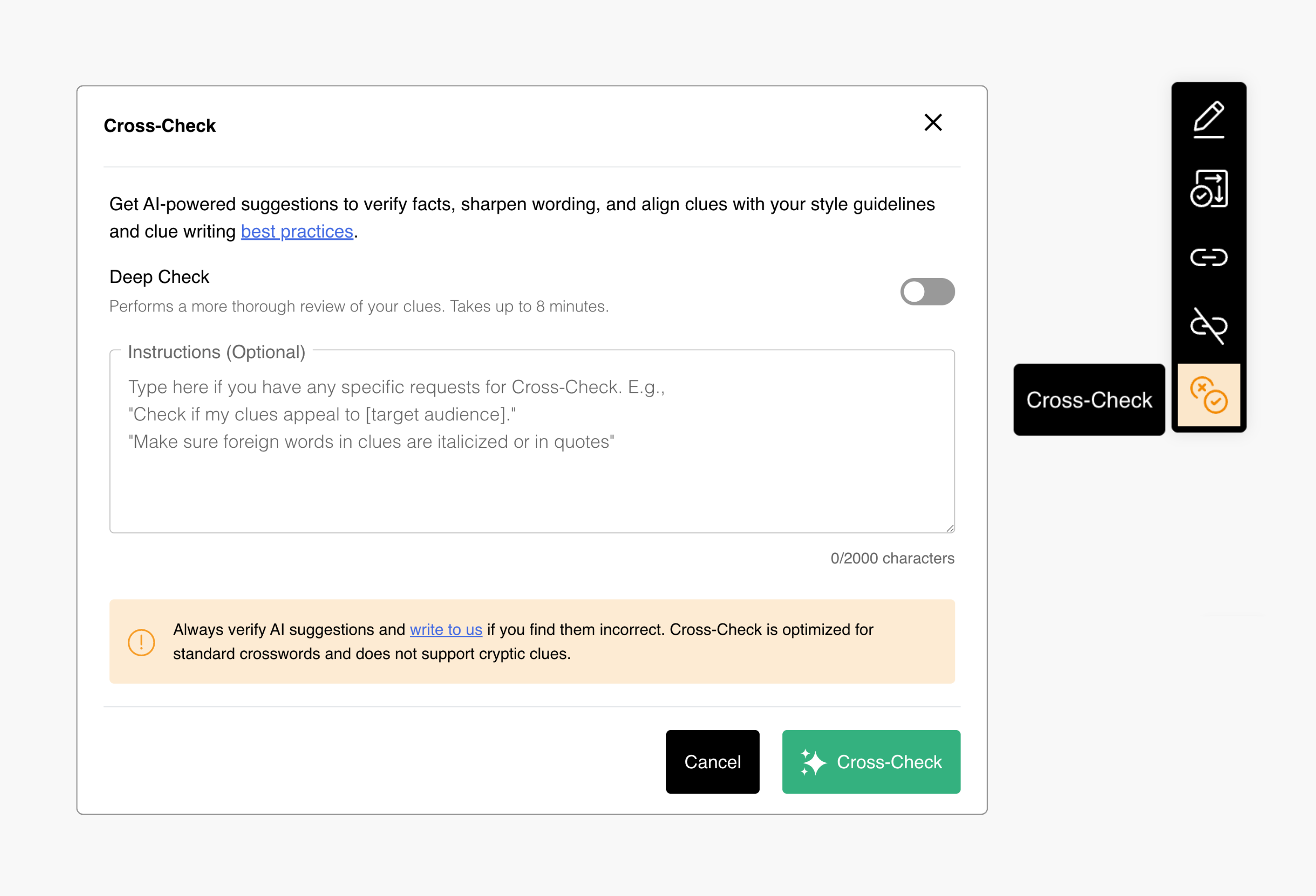
When you want to run a pass and work through what it finds, head to Cross-Check—the walkthrough covers the whole flow from start to finish.
Add multimedia to clues
Add media from the Edit clue tab in the clue pop-up.
- Open Edit clues and select an entry.
- Paste the media URL in the media field.
- Click Save, then test in preview.
Image clues
- Accepted formats: direct
gif,png,jpg,jpegURLs - What players see: mobile/compact layouts show an image icon in the clue bar; desktop layouts can show the image inline inside the selected clue
- Important: use a direct file URL, not a webpage URL that only contains an image
- Size guidance: keep images under 500 KB and around 180 px height for better mobile clue pop-ups
Video clues
- Accepted formats: embeddable YouTube links and HTML5 video formats such as
mp4 - What players see: video plays in the clue area when selected
- Timing format: use
#t={seconds}(for example#t=75) - Avoid:
#t=1m15sand&t=75 - Note: YouTube may not reliably honor
&end; trim the source clip if you need strict end timing
Audio clues
- Accepted formats:
mp3,m4a,ogg - What players see: audio controls appear in the selected clue
- Tip: Audacity is useful for trimming and cleaning clips before upload
Hosting media
If a media file does not have a stable public URL, contact the PuzzleMe team about hosting options (availability may depend on your plan). Use only content you are allowed to publish, and keep files lightweight for mobile users and weak connections. Puzzle creator warnings flag media that is unreachable on the public web or too large.