Player interface
Show word lengths in clues and the Jigsaw connect/scatter sounds configured here can be overridden for individual puzzles. See series defaults for details.
Chess view
This setting is specifically for Crossword puzzles. When enabled, rows and columns are numbered like a chessboard, and the clues for different words in a row or column are written out in a single line, one after the other.
In traditional view, numbers appear inside grid cells and map directly to clue numbers. In chess view, numbers appear along the grid edges (rows and columns), and clue numbers refer to row/column positions rather than cell numbers.
Enable chess view if your target audience primarily consists of European language crossword solvers (French, Spanish, etc.). European crossword traditions use chessboard-style numbering, where solvers expect to see row and column numbers rather than numbered grid cells. English-language crossword solvers, however, are accustomed to the traditional numbered grid format. Choose the numbering style that matches your audience's expectations to ensure a familiar and intuitive solving experience.
The different numbering systems mean clue positions won't align if you build a puzzle in one mode and view it in another. Construct your puzzle in the same mode you plan to publish it in. If your puzzle uses linked clues that reference other clues by number (e.g., "See 5 Across"), ensure these references match the numbering system of the selected view mode.
Show word lengths in clues
This setting controls whether word lengths are displayed alongside clues in the puzzle interface.
Available in: Crossword, Word Search
When enabled, players will see the length of each word next to its clue, which can help them identify the correct answer more easily. This is particularly useful for educational puzzles or when you want to provide additional guidance to solvers.
To edit word lengths manually or add separators between words, use Edit word lengths on the Edit grid and clues page. See Edit word lengths for details.
Enable print
This setting applies to several puzzle types including Crossword, Sudoku, Kriss Kross, Codeword, and Word Search puzzles. When enabled, a print button will be added to the puzzle player menu, allowing users to print the puzzle.
On desktops, Print can be accessed by solvers via the navigation bar, and on mobiles, via the hamburger menu.
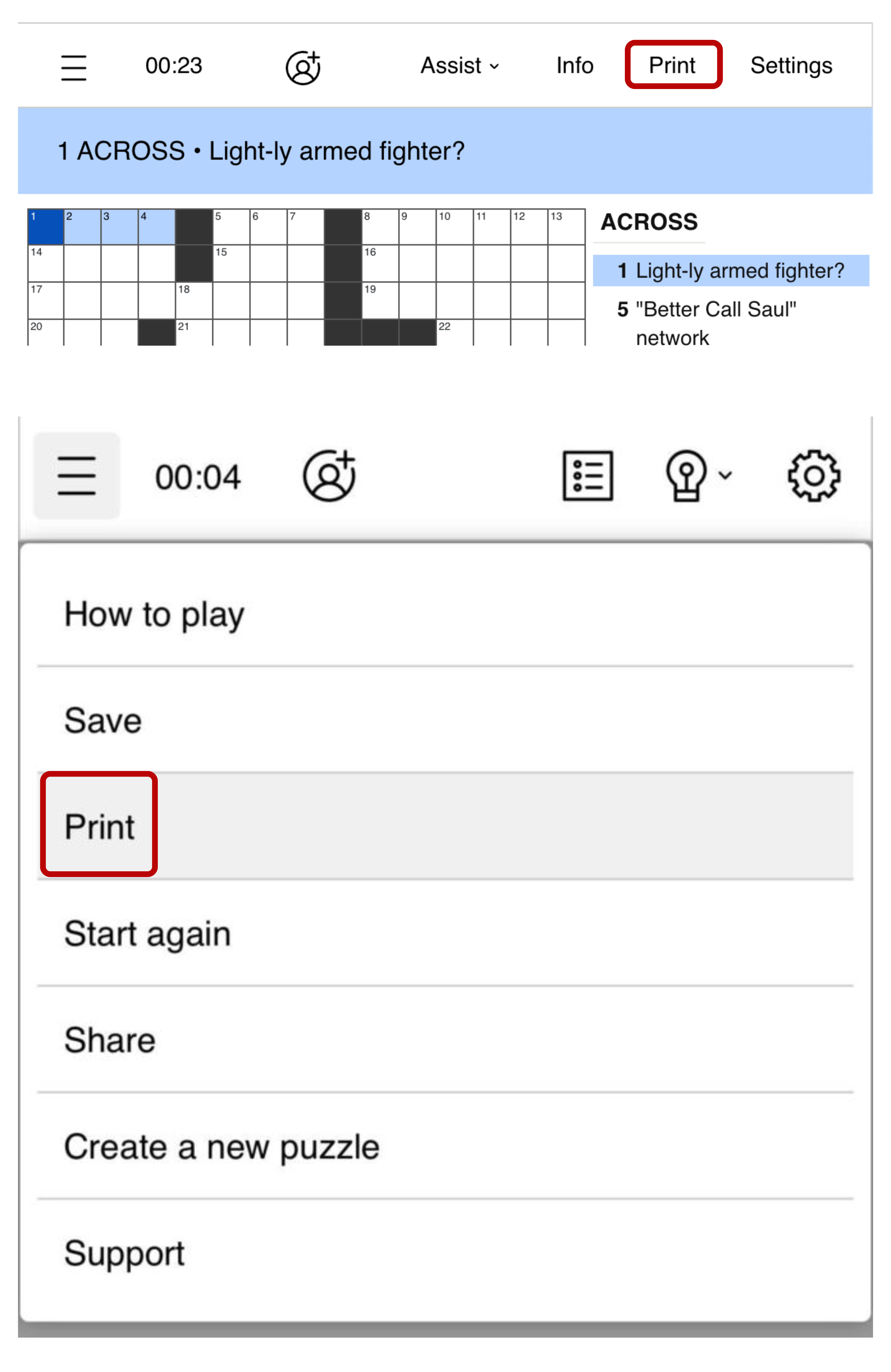
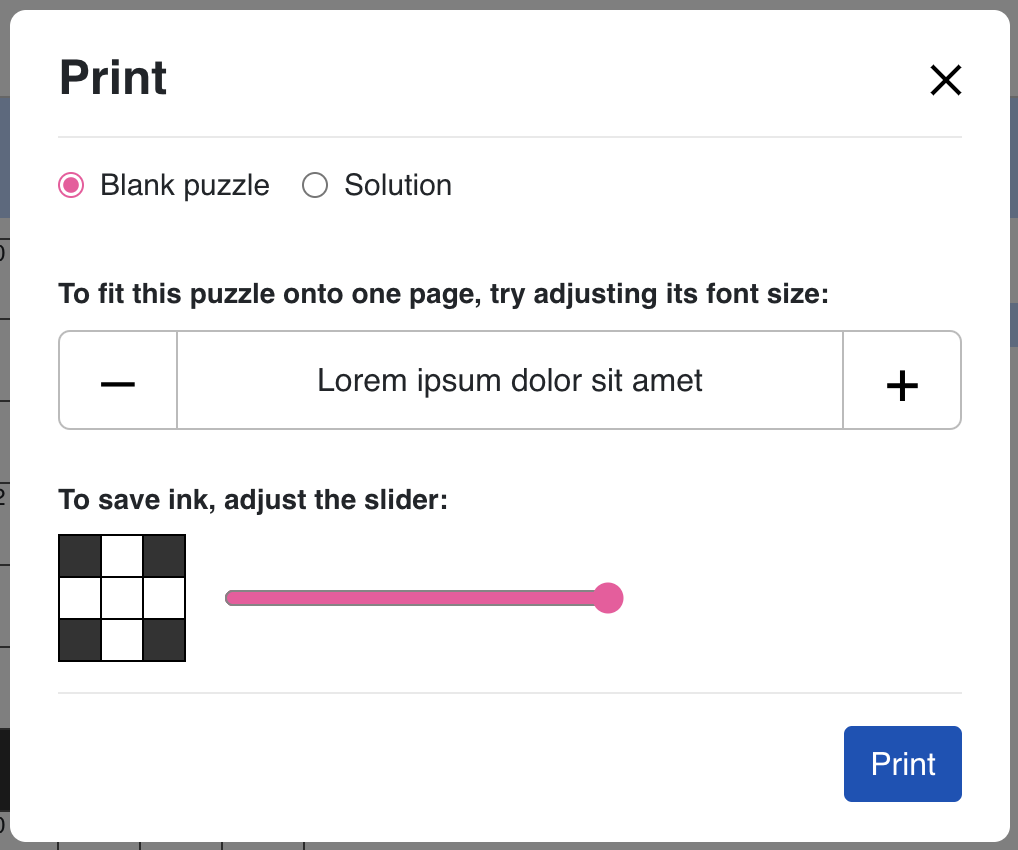
When solvers click on the Print button, a pop-up appears with the following options:
- They can choose to print a Blank puzzle, Puzzle with filled entries, or the Solution.
- To fit the puzzle onto one page, they can adjust its font size.
- There's also an option to save ink by adjusting a slider, which controls how much black is used in the puzzle grid.
Show fullscreen option
By default, the option for showing fullscreen mode is disabled. You can enable it by toggling the switch.

This feature is used to show the option of switching to fullscreen mode for your puzzles.
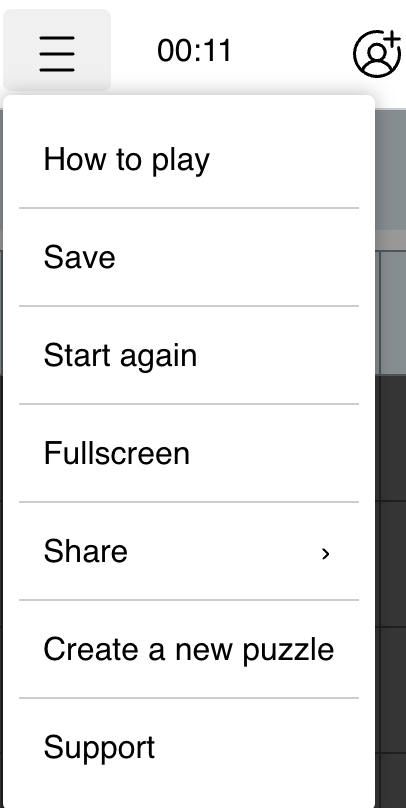
When full screen mode option is enabled for your puzzles, the solvers can enter full screen mode. If your puzzle pages are monetized using display ads, this could affect the number of ad impressions received, and potentially affect your ad revenue.
Show timer setting
This setting allows players to toggle the timer on or off for puzzles in this series.
Available in: All puzzle types
When enabled, players will see an option in the puzzle interface to show or hide the timer. This gives players control over whether they want to track their solving time. The timer setting is player-specific and will be remembered for their session.
Social play
This setting enables multiplayer (social play) in the player for puzzles in this series.
Available in: Crossword, Sudoku, Kriss Kross, Codeword, Word Search, Word Flower, Jigsaw
When enabled, players can solve puzzles together in real time as a group.
Jigsaw connect and scatter sound
For Jigsaw puzzles, you can set custom audio clips for two piece-interaction sounds:
- Jigsaw connect sound: Plays when jigsaw pieces connect
- Jigsaw scatter sound: Plays when jigsaw pieces are scattered
If left blank, the default sound is used for each.
Quiz layout
This setting allows you to choose between horizontal or vertical quiz layout to optimize the display for different devices and user preferences.
- Vertical layout: Better suited for mobile devices and narrow screens
- Horizontal layout: Ideal for desktop viewing and wider screens
Select the layout that best fits your target audience and how they typically access your quizzes.