Cross-Check
Learn how to use Cross-Check to find errors in your crossword—from spelling to factual mistakes—and improve the quality of your clues before you share them with others.
Cross-Check is available on Professional and Enterprise plans.
Whether your grid is small or large, it is easy for a typo to slip through, for a clue to drift away from the answer, or for a “See 5 Across” to point nowhere.
Cross-Check is an extra pass through your word–clue pairs. It helps you catch what might have slipped through before you publish. When a clue is flagged, Cross-Check tells you why and suggests revised clue text—you can use it as-is or edit it to fit.
Cross-Check is powered by AI. Read more about PuzzleMe AI here.
Where to find Cross-Check
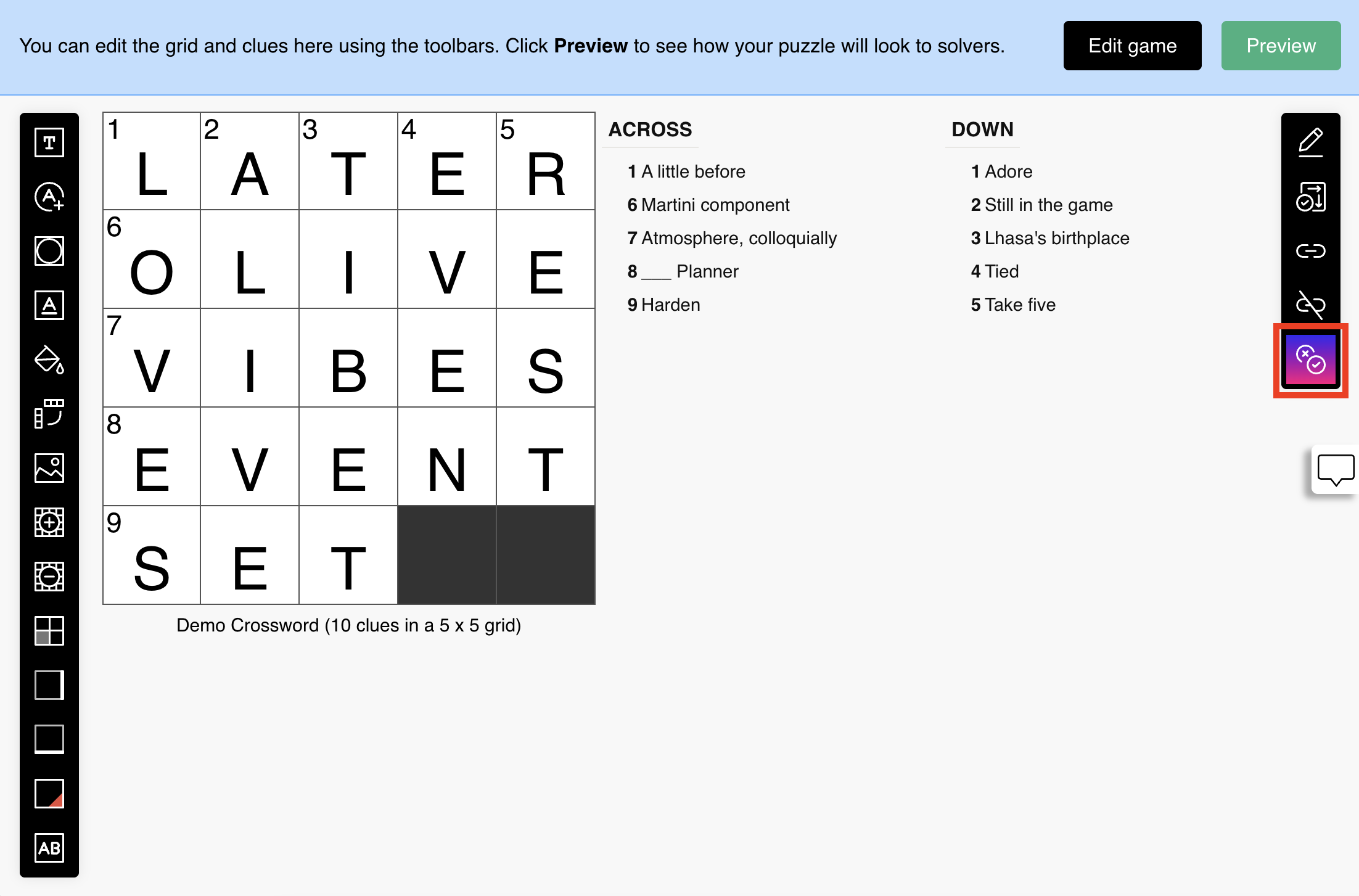
Cross-Check appears in the right toolbar when you are on Edit grid and clues for a crossword.
Cross-Check works with multiple languages. Spelling and conventions follow the puzzle's language and locale.
Run Cross-Check
- On Edit grid and clues, click the Cross-Check icon in the right toolbar.
- In the pop-up, optionally enter instructions (for example tone, audience, or puzzle-specific context). By default Cross-Check follows the crossword clue writing guide linked in the pop-up; if your puzzle uses different conventions, say so in the instructions. The language and locale used for spelling and conventions come from the puzzle’s creation metadata. Click Cross-Check to start.
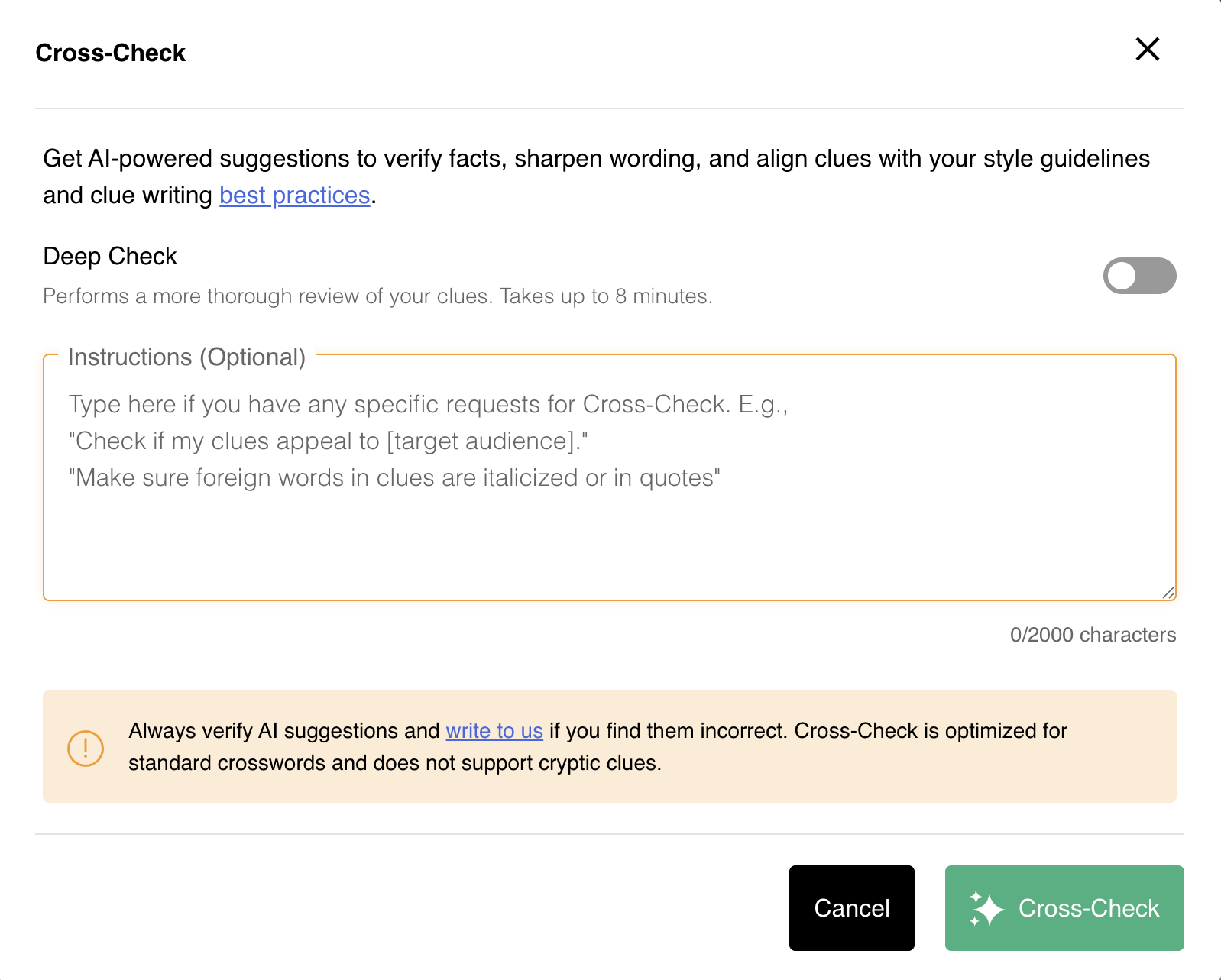
- When Cross-Check has finished running, a summary pop-up appears with suggested changes. Close the pop-up to enter clue-editing mode. You will see the results in the clue list.
Cross-Check can take 1–5 minutes depending on puzzle size.
Understanding results
The clue list shows which word–clue pairs need attention.
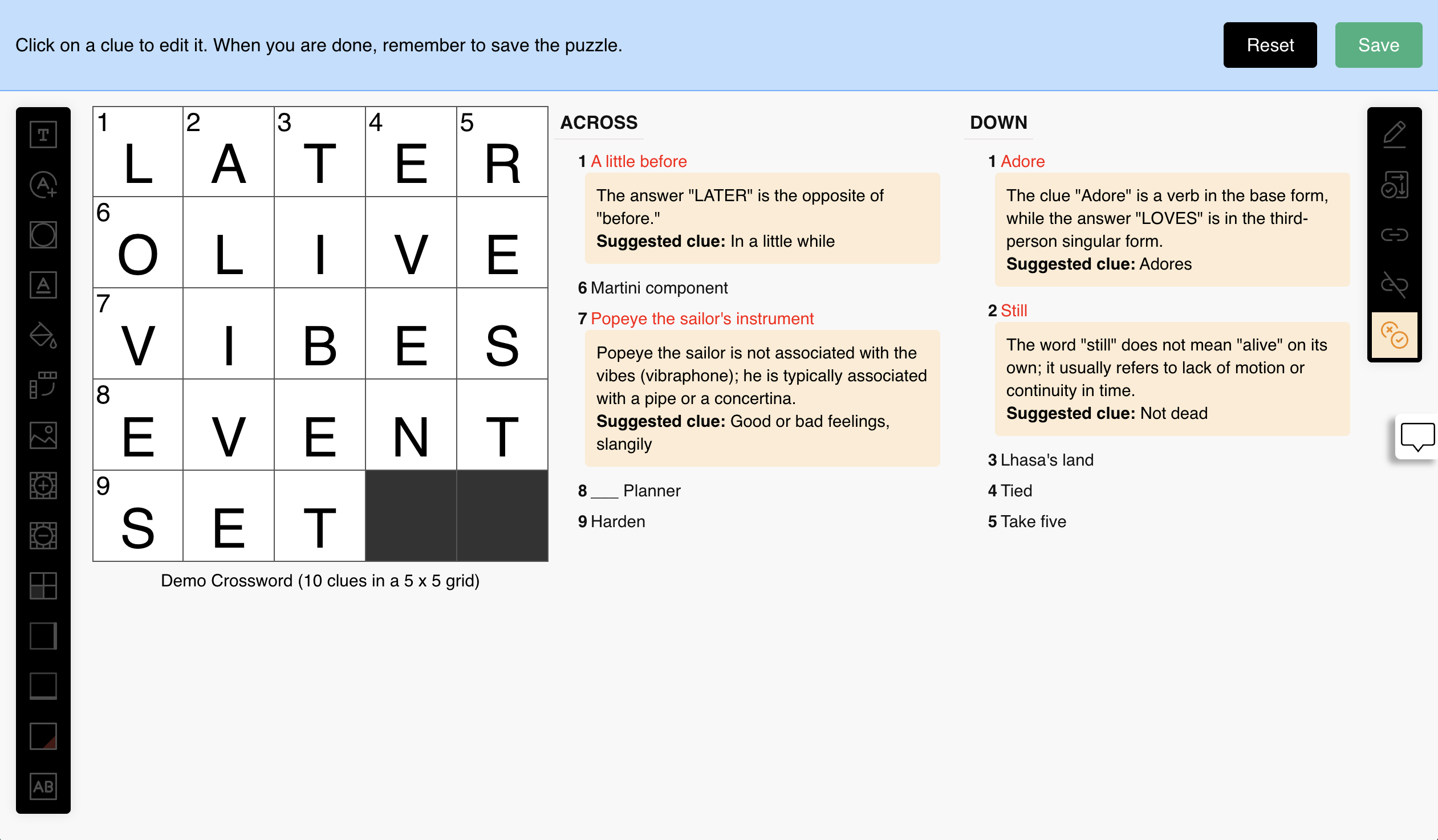
Incorrect and stylistic suggestions
Pairs that are incorrect or have stylistic issues (for example semantic errors, abbreviation tags, capitalization) are marked in orange. For each such clue you will see the reason for the flag and a suggested clue below the clue text.
Cross-references
If clues reference other clues (for example “See 5 Across”) and those clues are linked in the editor, Cross-Check validates that the relationship is correct. If clues reference each other but are not linked, the clue is marked as incorrect and the reason will prompt you to link them with Link clues on the same toolbar.
Edit and save
Clicking a flagged clue or the reason or suggested-clue area opens the Edit clue pop-up. The suggested clue text is not pre-filled; if you want to use it, copy it into the clue field yourself. Save to update that clue.
When you are done, choose Save to keep your edits and exit Cross-Check, or Reset to discard changes and return the puzzle to its pre-Cross-Check state.
- Time: Cross-Check typically takes 1–5 minutes depending on size and complexity.
- Standard crosswords only: Cross-Check is designed for standard crosswords and does not support cryptic clues.
- Multiple languages: Spelling and conventions follow the puzzle's language and locale.
- Errors may be missed: Running Cross-Check more than once may surface additional suggestions.
- Consistent style: For a specific tone or style, add instructions in the optional prompt when you run Cross-Check.
- AI disclaimer: Results are AI-assisted. Always review suggested changes before saving.