Billing
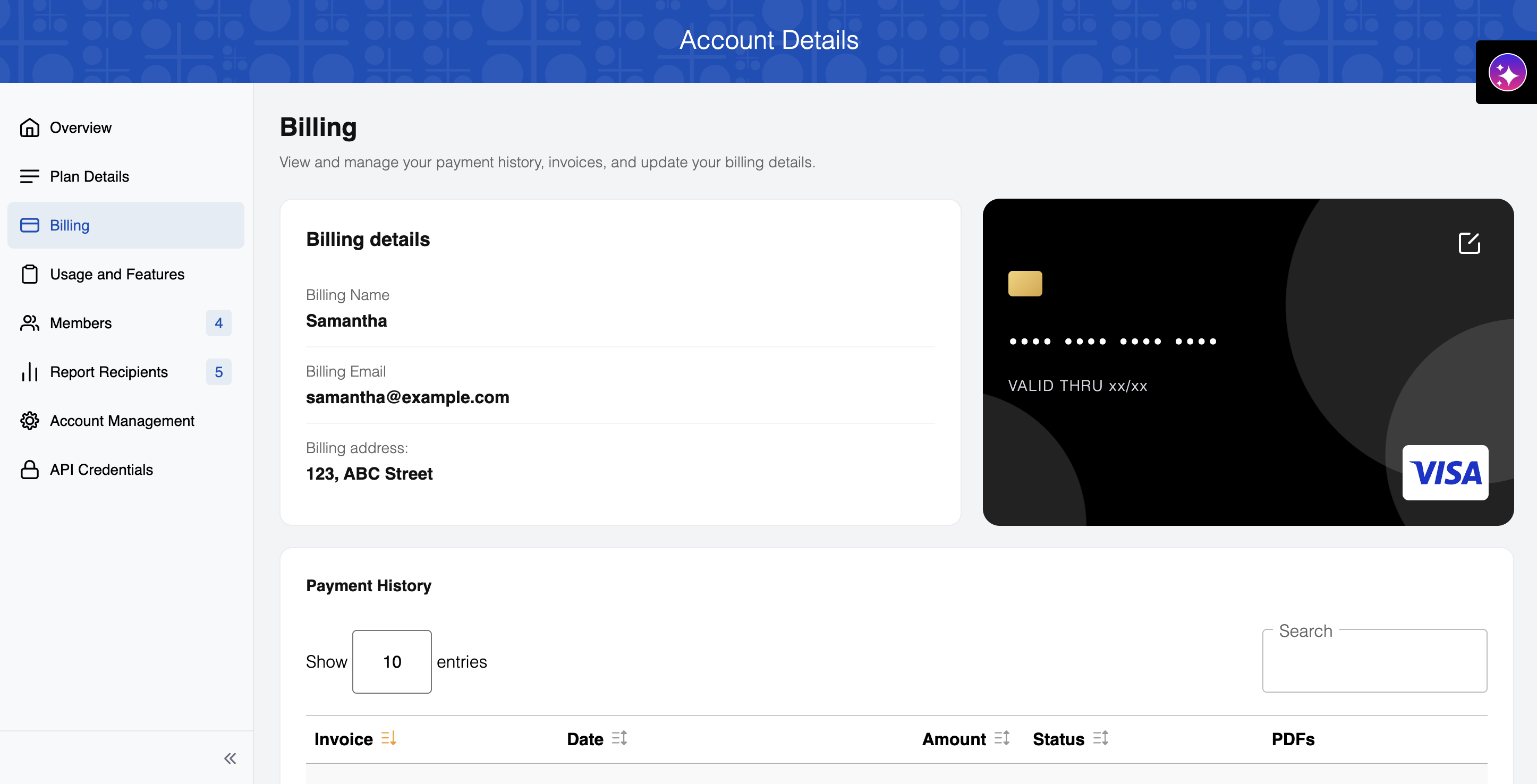
This section displays your billing details and payment history:
Stripe customers only
This section is only available for accounts billed through Stripe.
- Billing Name: The name associated with your billing account
- Billing Email: The email address used for billing communications
- Billing address: The address on file for billing
- Payment Method: Shows the last 4 digits of the card on file. Click the pencil icon to update it via Stripe.
Payment History
The Payment History table displays your invoice records, including:
- Invoice: The invoice ID.
- Date: The billing date for each invoice
- Amount: The amount charged for each billing period
- Status: Current payment status
- PDFs: Download a PDF copy of the invoice. Not available for upcoming invoices.
FAQ
How do I update my payment method?
Click the pencil icon on the card preview in the Billing section. This takes you to Stripe, where you can update your card details.