Account details
Learn how to monitor your usage and manage your PuzzleMe™ account, including plan usage and subscription management.
Access your account details by clicking on your profile in the top-right corner and selecting "Account details" in the dropdown. On the Overview page, you'll see a summary of your plan, usage and features, members, billing, and report recipients.
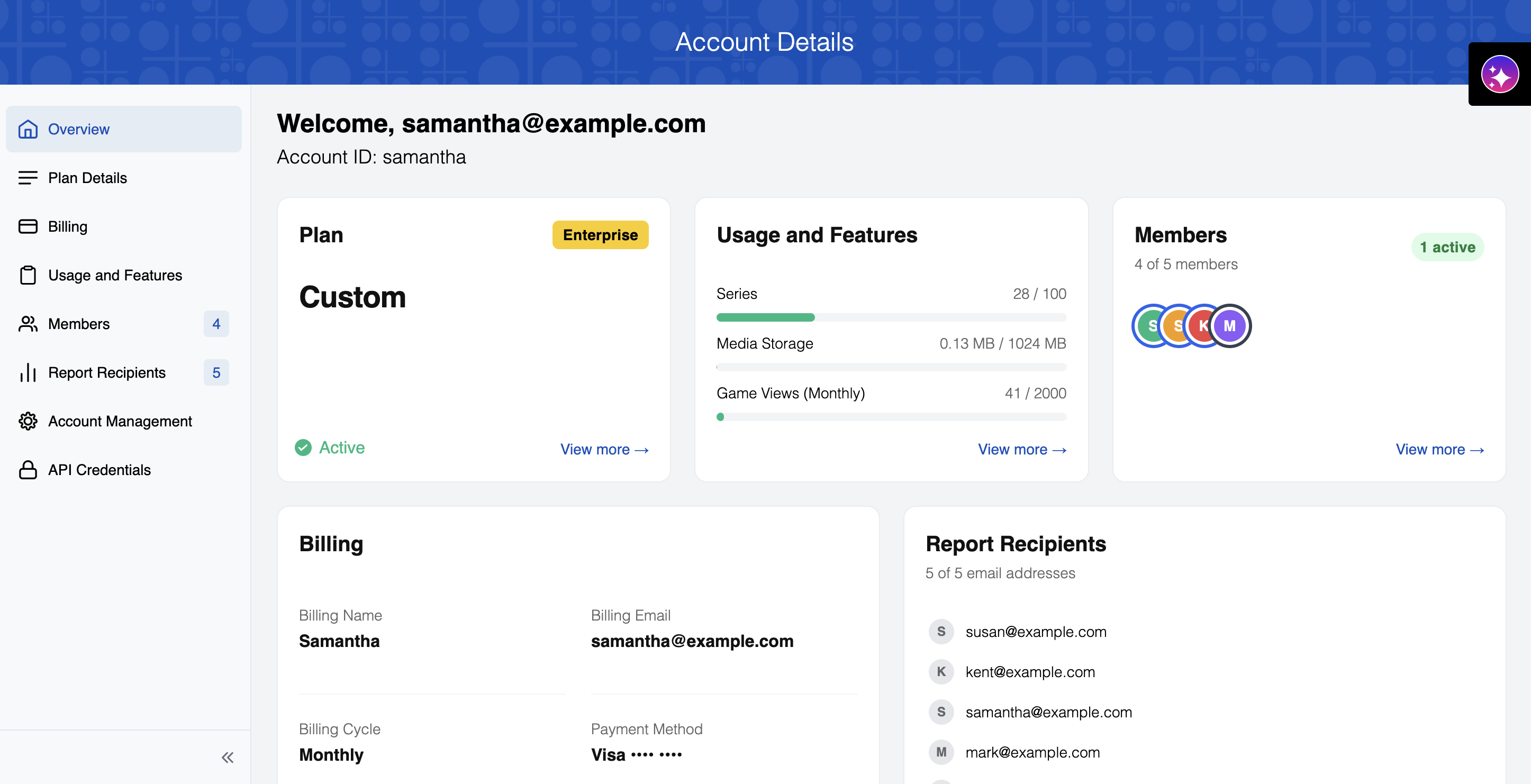
Below is a summary of each section of your account: plan, billing, usage and features, members, report recipients, account management, and API credentials.
Plan
Your current plan name and status (e.g. Active).
Billing
Your billing name, email, cycle, and payment method on file.
Usage and Features
A quick look at your Series, Media Storage, and Game Views usage against your plan limits.
Members
How many of your plan's member seats are in use, how many are active, and avatars for each member.
Report Recipients
How many of your plan's recipient slots are in use.
Account Management
Two-factor authentication and Suspend on Limit Reached settings.
API Credentials
Your Client ID and Client Secret for API integrations.