Lead generation
Ensure you secure user consent before collecting personal data and comply with all applicable privacy laws.
Transform your puzzles into powerful lead generation tools! When enabled, this feature allows you to collect different attributes about players.
Whether you're running contests with prize giveaways, building newsletter subscriber lists, tracking employee engagement, managing event registrations, or collecting customer feedback, this feature helps you capture the right information from engaged puzzle solvers.
You can collect up to 3 custom fields per puzzle, with each field supporting one of 4 input types.
| Input Type | Description | Best For | Example Use Cases |
|---|---|---|---|
| Text (required) | Free text input that players must complete | Essential information collection | "Full Name", "Department", "Job Title" |
| Text (optional) | Free text input that players can skip | Additional context, comments, interests | "Company Size", "Comments", "Interests" |
| Numbers only | Numeric input with validation (always required) Shows error if non-numeric characters entered or if left empty | Quantitative data collection | "Mobile Number", "Employee ID", "Age" |
| Email address | Email format validation (always required) Shows error if format is not example@example.com, or if left empty | Contact information, email addresses | "Email Address", "Work Email", "Newsletter Email" |
You can use any combination of these types across your 3 fields. For example:
- All 3 fields as email addresses (for group participation)
- Mix of text, numbers, and email
- All text fields with different required/optional settings
Setup process
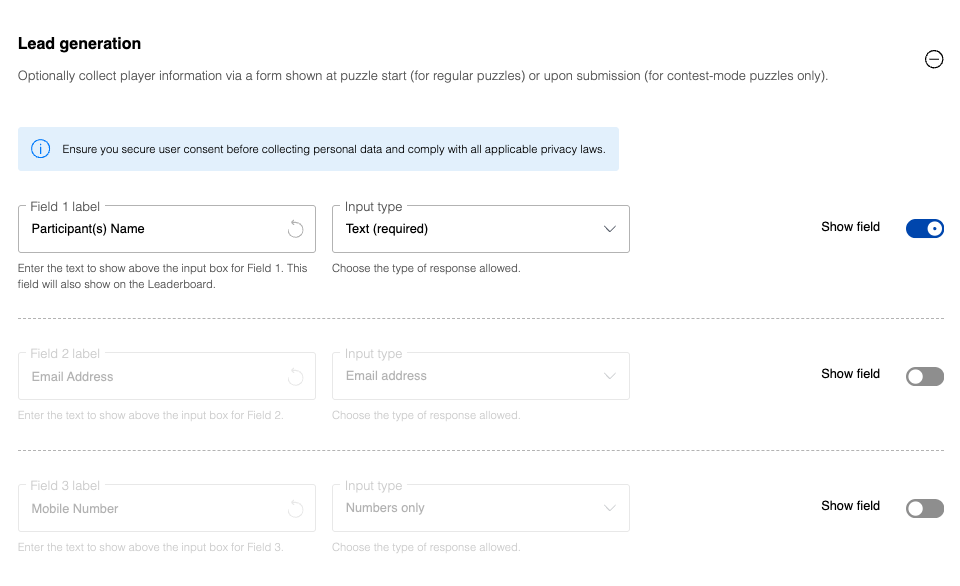
- Choose how many fields to collect (1, 2, or all 3) by toggling the "Show field" switch for each field you want to enable
- Customize each enabled field:
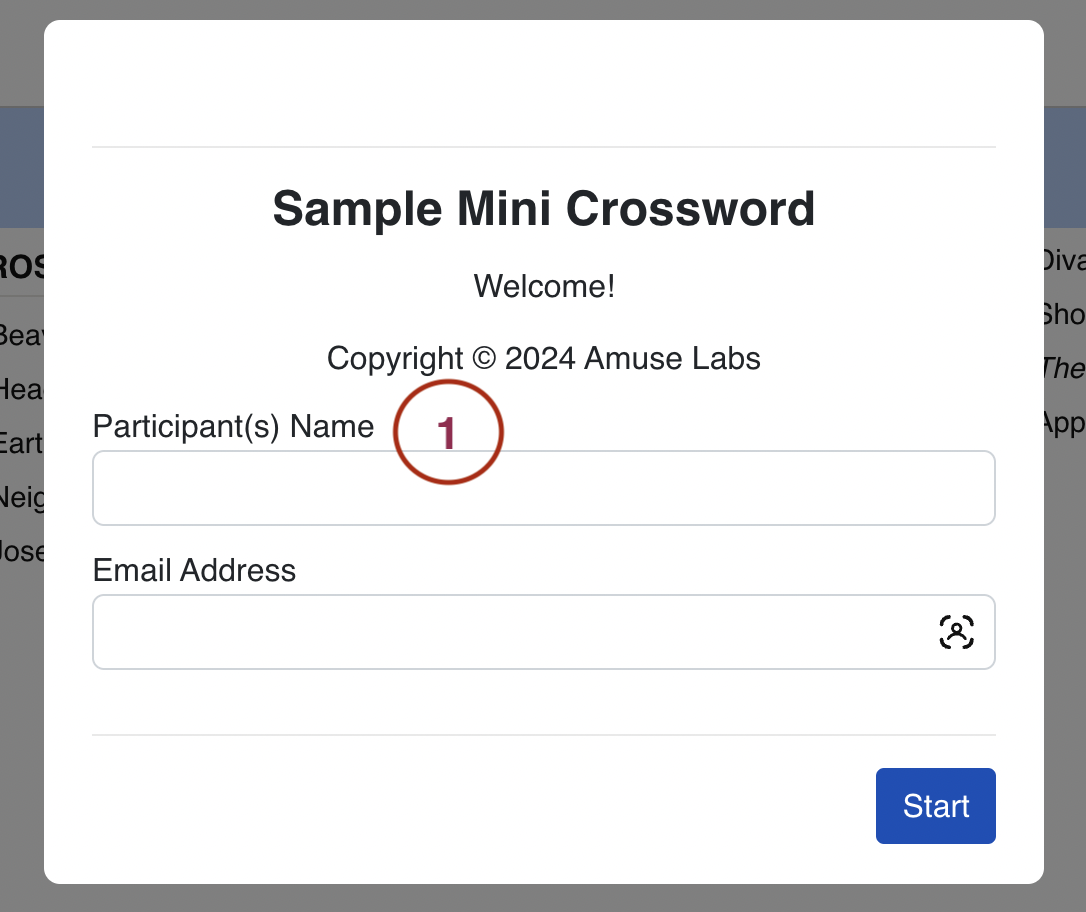
- Field label: Create descriptive labels (defaults are "Participant(s) Name", "Email Address", and "Mobile Number")
- Input type: Choose from 4 validation options (listed above)
- Select which puzzles should collect user information using the "Collect user info for" dropdown
Collect user info for
This setting controls which types of puzzles in your series will collect user information. Use the "Collect user info for" dropdown to select from:
- All Puzzles: Collect user information for all puzzles in the series (both contest and non-contest puzzles)
- Contest puzzles only: Collect user information only for puzzles in contest mode
- Non-contest puzzles only: Collect user information only for regular (non-contest) puzzles
This allows you to fine-tune your lead generation strategy based on your puzzle types. For example, you might want to collect information only for contest puzzles where you're running prize giveaways, while keeping regular puzzles free from form requirements.
By default, the lead generation form appears at the start of the puzzle. In contest mode, the form appears at the end of the puzzle after completion. For non-contest puzzles, contact us if you need the form to appear at the end instead.
Accessing collected data
The information players submit shows up in the Play by Play table on the Analytics page, where you can download it as a CSV file.