Picker
Hide picker link
By default, the option for hiding the picker link is disabled. You can enable it by toggling the switch. This feature can be used to hide the "More Puzzles" link from the hamburger menu, and in the completion pop-up. This is particularly useful if you are embedding the latest puzzle using the Publishing series "Latest puzzle" option, but don't want your solvers to be able to go back and solve other puzzles from that series.

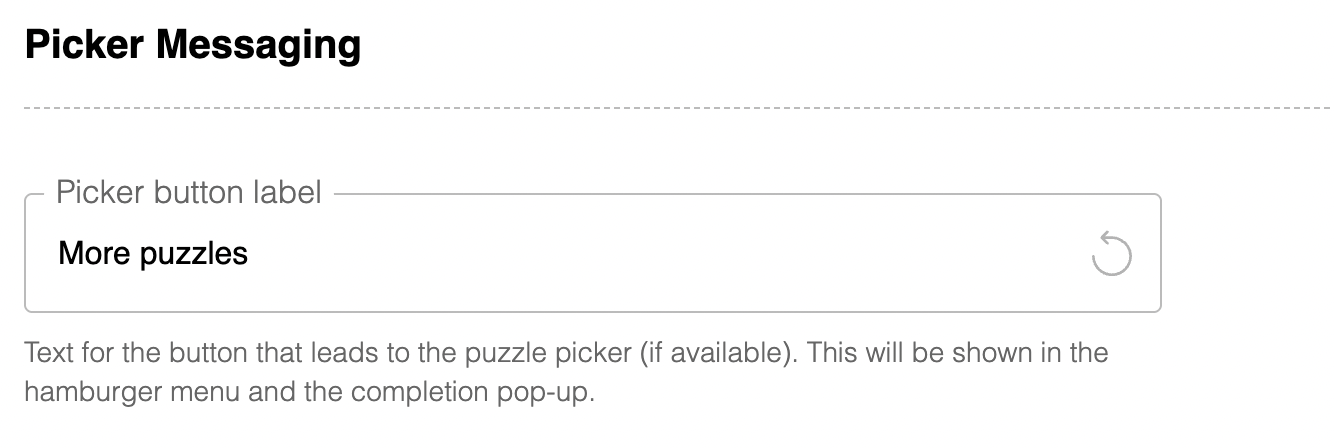
Picker Button Label
By default, when a picker is embedded, the hamburger menu item is labeled "More Puzzles." However, this label can be changed to "Crossword Archive" or something similar, as it directs players to the picker displaying puzzles from your series.
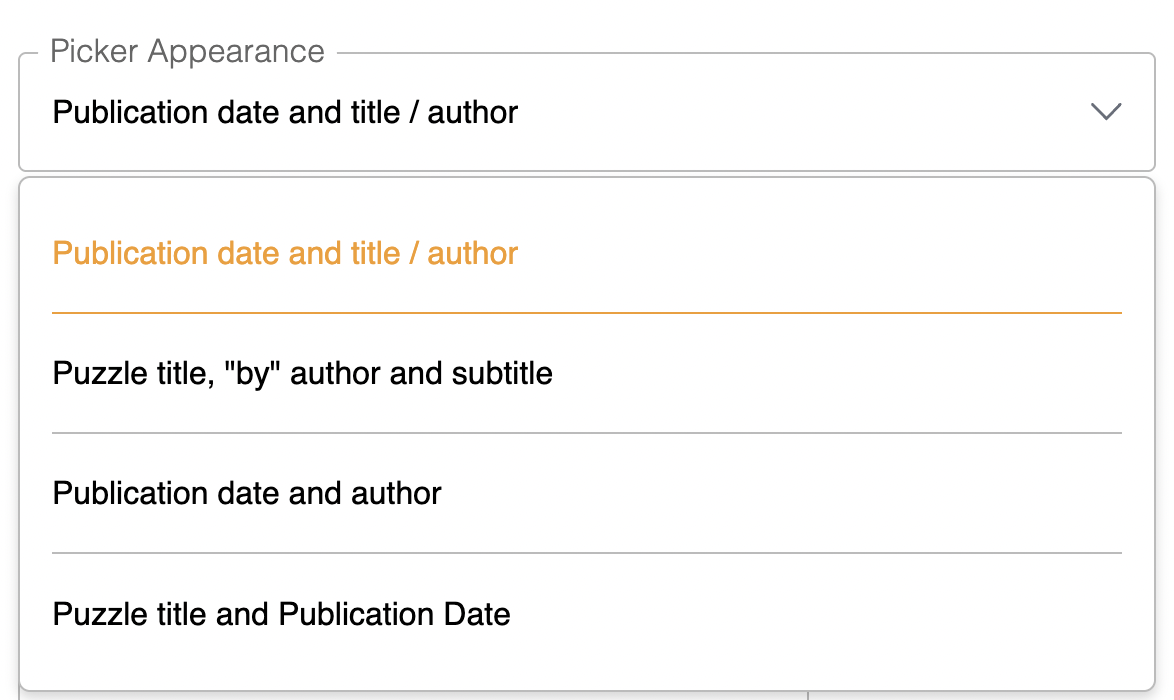
Picker Appearance
This setting can be used to customize the appearance of your list picker, and control what details are displayed for each puzzle. See the picker display styles section for more details.
Pre-roll Ad Tag Link
If you are running video pre roll ads, please add your VAST ad tag here. Note that video pre roll ads are only available for picker embeds. Refer to our advertising page for more details.
