
Create Slide Your Way
Create a Classic Number Grid
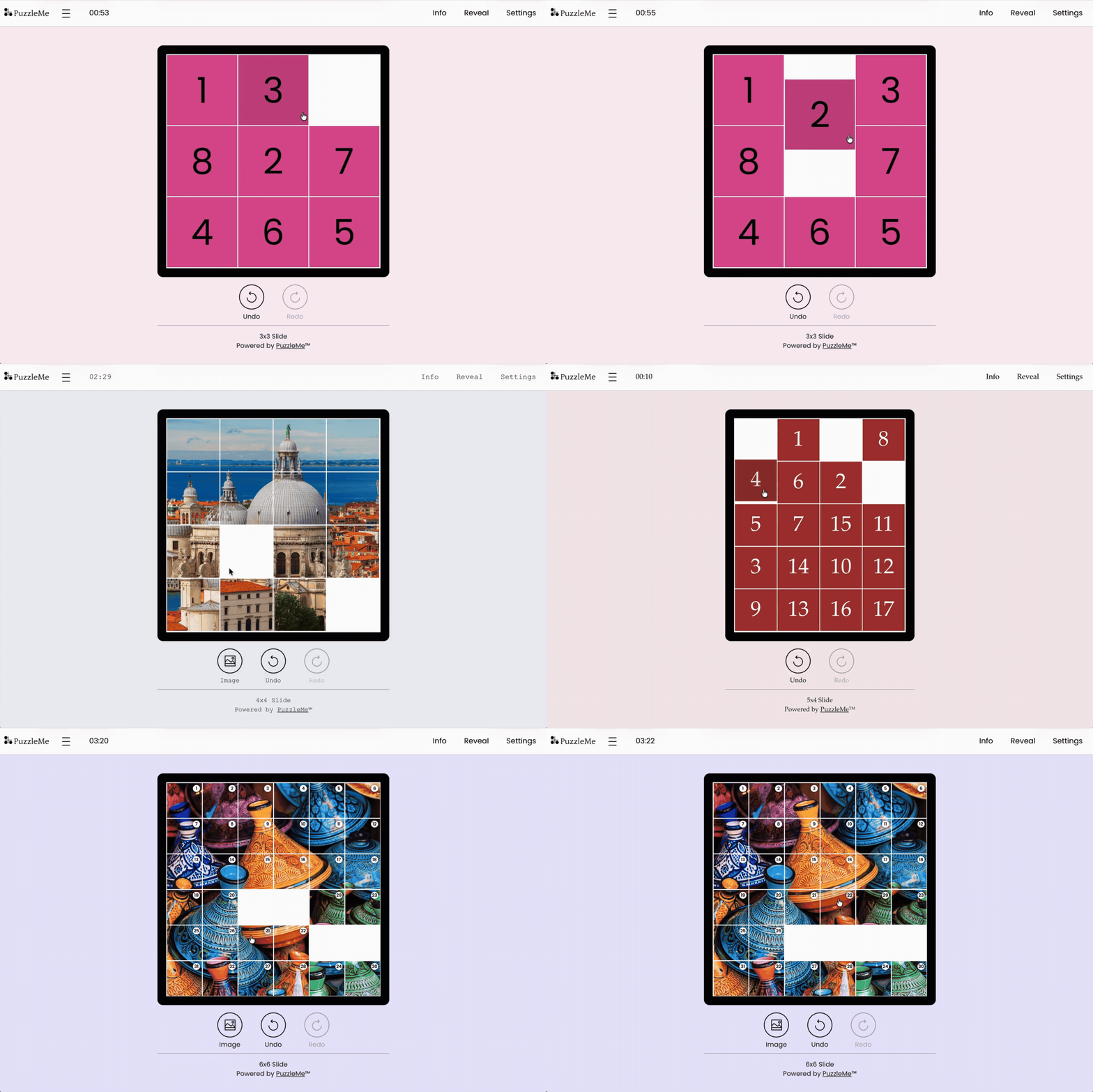
Create a classic Slide puzzle with numbered tiles for a clean, familiar solving experience.
Turn Images into Slides
Choose from PuzzleMe’s copyright-free image gallery or upload your own image URL to turn any visual into a custom Slide puzzle.
Control the Difficulty
Customize the board size and empty slots to fine-tune the difficulty for your audience.
There’s a Slide for That
From quick, snackable puzzles that players can finish in minutes to larger grids that keep players engaged, Slide adapts to different audiences, formats, and moments.
Customize Slide to Match Your Brand
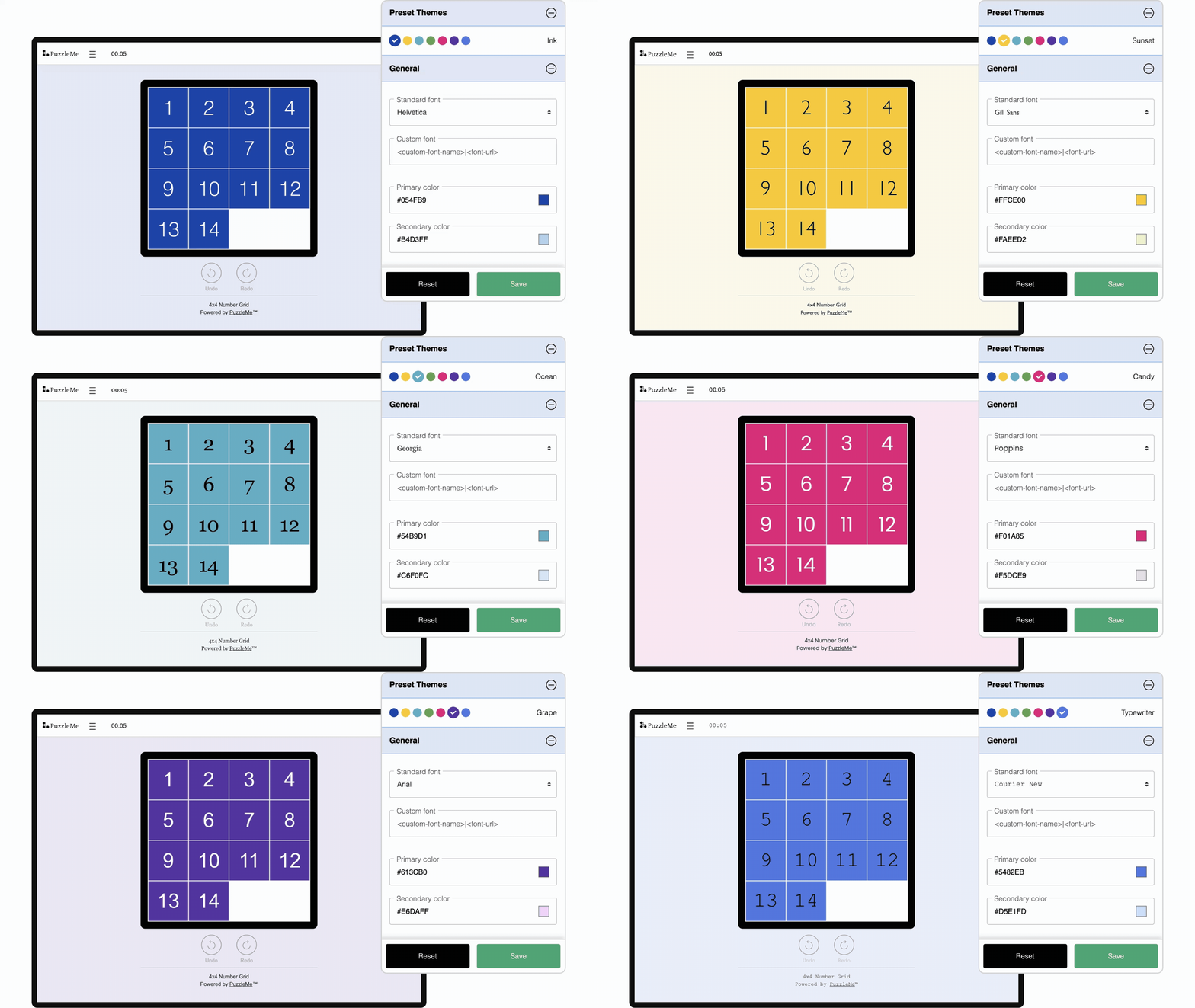
Make every Slide puzzle feel like a natural part of your website, app, or campaign. Customize the fonts, colors, messaging, and visual style so the game aligns with your brand identity and delivers a seamless player experience.
Create for Every Screen
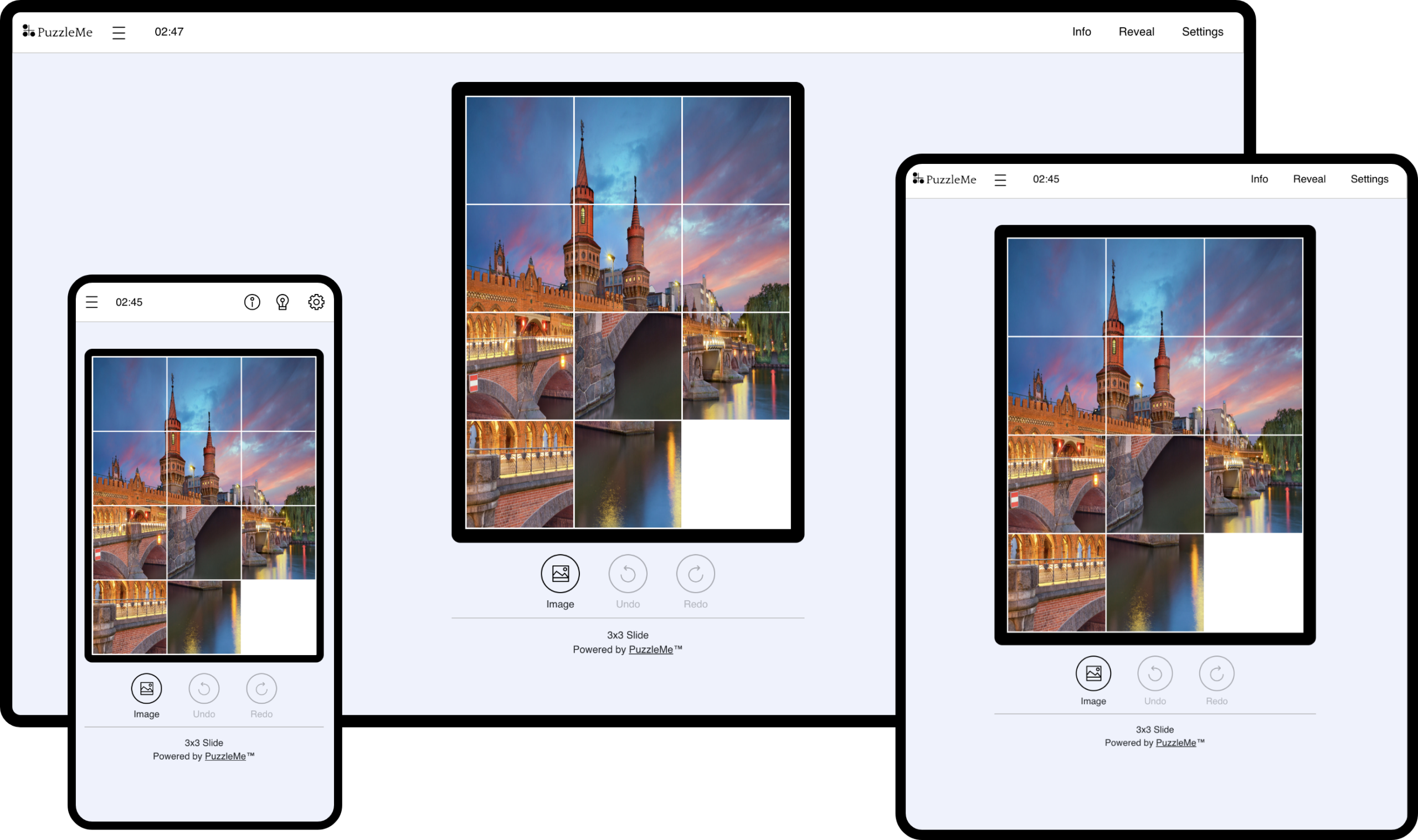
Slide puzzles work smoothly across mobile, tablet, and desktop. The responsive iframe automatically adapts to different screen sizes, giving players a clean solving experience wherever they play.
Explore More Slide Formats
Browse demos showcasing different layouts, image formats, themes, and difficulty levels.
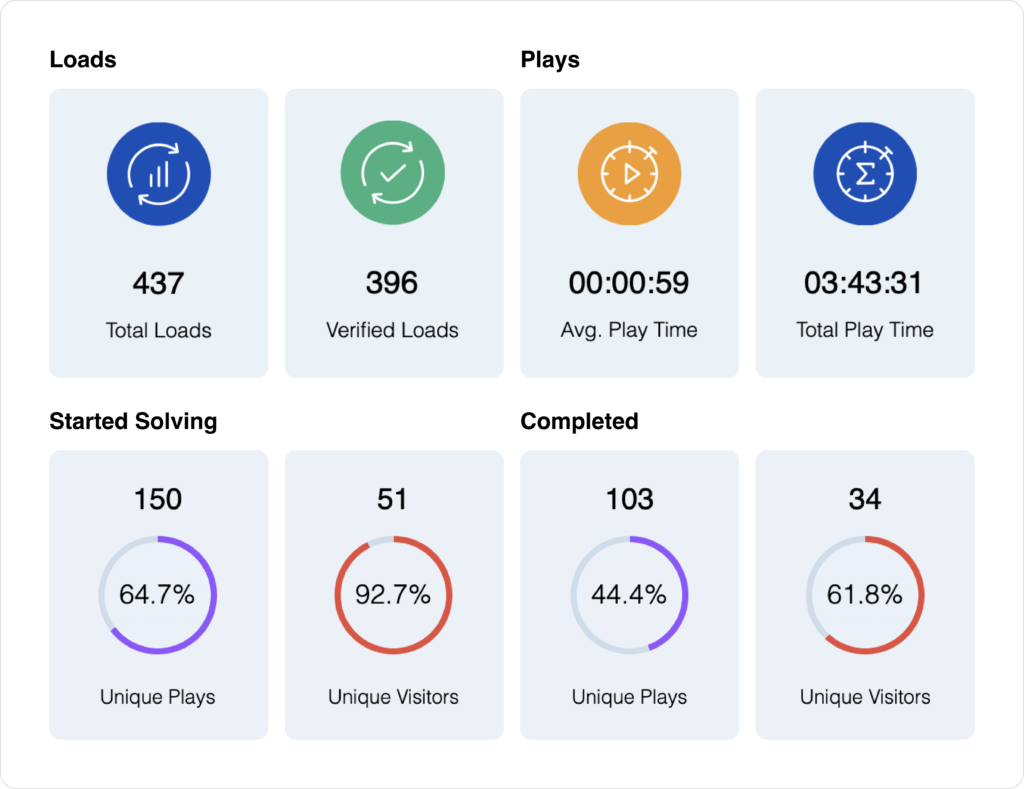
Monitor and Optimize
Track Performance: Use the PuzzleMe dashboard to monitor key metrics like game plays, time spent, devices used, and more.
Export Insights: Download your puzzle data in CSV format for deeper analysis, reporting, or documentation.
Review Play-by-Play Data: Access detailed play-by-play reports to understand how players interact with your puzzle from start to finish.
Frequently Asked Questions
Yes. PuzzleMe allows you to embed your Slide puzzle directly into your website or blog using an embed code. You can adjust the dimensions and settings within the embed code to match your site’s layout. Embedding works seamlessly across browsers and devices.
To upload your images to PuzzleMe, you’ll need a URL link, therefore the images must be hosted on a separate server. Ensure that the link you paste into the PuzzleMe editor ends with an image extension (eg. PNG, JPG, JPEG, GIF, etc).
Some image hosts might not allow direct linking to the images. Need hosting? Check out these free image hosting services that allow hotlinking.
Direct image uploads aren’t available on Personal PuzzleMe accounts, but users on the Plus or Professional plan can upload images seamlessly. Explore the plans here.
Images that match the shape of your puzzle grid work best. For example, if you are creating a 4×3 grid, use an image with a 4:3 aspect ratio. If you are unsure, square images on square grids are the safest choice.
Yes. You can adjust the board size and number of empty slots to control how easy or challenging the puzzle feels. Larger grids and fewer empty slots create a tougher challenge, while smaller grids and more empty slots make the puzzle easier to solve.
Yes. With PuzzleMe’s analytics tools, you can see individual solver performance, completion rates, and average solve times. Each game session is trackable, and you can download detailed data reports for audience insights or learning assessments. Learn more in the analytics documentation.