How to Add Games to Your Website 101: A Complete Guide


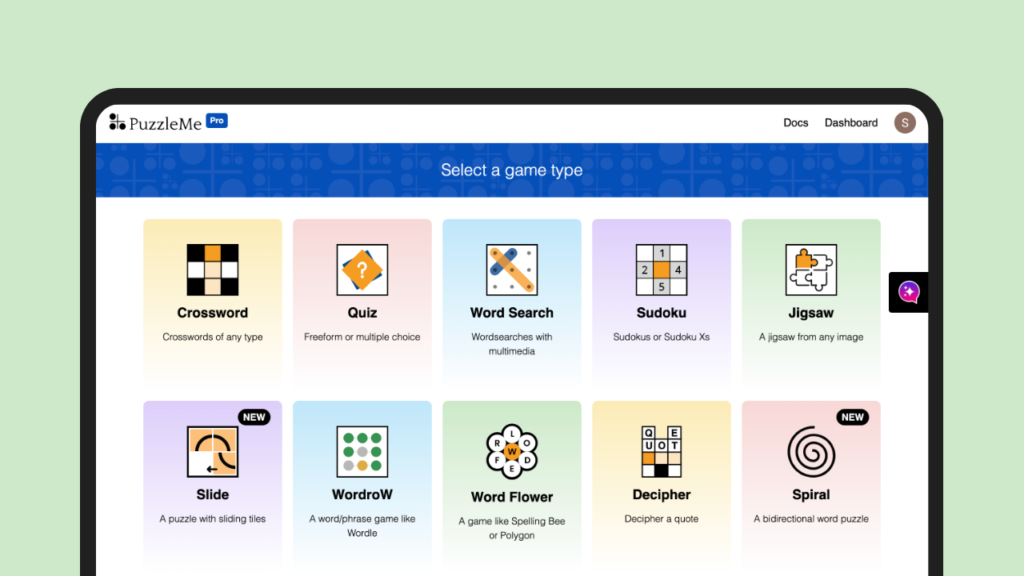
In today’s digital landscape, engaging website visitors is more crucial than ever. One powerful way to boost user interaction and time on site is by incorporating games into your web presence. Games increase engagement and customer satisfaction making it a potent tool, going beyond simple gamification to offer full-fledged gaming experiences to site visitors.
According to a study in cooperation with partners like Pepsi, Nike and Dell, adding games to your website boosts comments by 13%, social sharing by 22%, and content discovery by 68%! Furthermore, in the educational sector, games and gamification make learning more participatory and entertaining in tedious and demotivating environments (Yıldırım, 2023b).
This guide will walk you through the entire process of adding games to your website, covering everything from multiple ways to integrate games into your website to technical implementation and optimization.
Whether you’re running a corporate site, an educational platform, or a personal blog, you’ll find practical advice on how to effectively incorporate games into your web presence.
Before diving into the technical aspects, it’s crucial to know the reasons you want to add games on website. If you’re already clear on why you want to incorporate games into your online presence, you may skip this section. However, we strongly recommend taking some time to articulate your reasons for this addition.
As adding games to your website has numerous benefits, understanding your “why” is a practical necessity that will shape every subsequent decision in this process. Moreover, you need not have only one reason but being aware of all the reasons is the key to successful integration of games to your website.
Some common reasons & benefits might include:
When it comes to adding games to your website, you have several options. Each approach has its own advantages and challenges. Let’s explore three main methods:
Developing the game you want to add to your website gives you complete control over the game’s design, functionality, and integration with your website. To get started you can use beginner-friendly coding languages such as HTML, CSS, and JavaScript. If you are a pro at coding you can use C-programming, Python, and more to make advanced games. Here is a coding guide to create a simple game- Melting Snowman.
Some of recommended tools to develop your game are:
Developing your own games for your website offers the highest customization and control. This approach allows you to create unique experiences that perfectly align with your brand and meet your specific goals. You can tailor every aspect of the game, from gameplay mechanics to visual design, ensuring a seamless fit with your website’s aesthetics and functionality.
However, this option comes with significant challenges. It requires substantial time investment, specialized skills in game design and development, and can be costly, especially if you need to hire external developers.
The development process can be complex and time-consuming, potentially delaying your ability to launch the game. Despite these drawbacks, the end result can be a highly engaging, branded game experience that sets your website apart from competitors.

This approach allows you to create games and add them to your website quickly without having to code. This offers a middle ground between custom development and purchasing ready-made games.
Recommended platforms:
This method strikes a balance between customization and ease of use. It allows you to create semi-custom games more quickly than building from scratch, and with less technical expertise required.
However, you may face some limitations in terms of advanced features or unique gameplay mechanics. The learning curve for these platforms is generally gentler than coding from scratch, making this a good option for those with limited development experience who still want a degree of customization. Sounds interesting? Try it for free!
Buying pre-made games offers a quick and often cost-effective way to add gaming content to your website. When you join these game distribution platforms, you directly get access to their huge portfolio of games which you can add to your website and also monetize.
Recommended platforms:
This approach allows for rapid implementation and can be less expensive than custom development. Many ready-made games offer some level of customization, allowing you to adjust visuals or basic gameplay elements to better fit your brand.
However, these games won’t be as unique as custom-built ones, and you may face limitations in how much you can modify them without extensive coding knowledge. It’s also important to ensure that the games you purchase are compatible with your website’s technology and that you have the necessary rights to use and modify them as needed.
Once you’ve selected or created your game, the next step is to host and integrate it into your website. This process can vary depending on your website platform and the type of game you’re adding. However treat the following as general checklist before hosting your game:
Once you have made sure of these requirements you have to look at the platform specific requirements. Usually games are hosted on WordPress, Wix, Squarespace, Medium, etc.
Let us look at platform-specific considerations:
Embedding is the next step to bring your game to life on your website. Most games can be seamlessly integrated using an iframe or a simple JavaScript snippet. But don’t just drop it in and call it a day! Ensure your game is responsive – it should look great whether your visitor is on a desktop, tablet, or smartphone. For more details about embedding here is a resource!
Now your game might be the next big thing, but it won’t matter if half your visitors can’t play it. Therefore, ensuring compatibility across devices is important. Test, test, and test again across different browsers and devices. If you find some issues, consider providing fallback options or friendly messages for unsupported browsers. Let everyone join the fun, right?
Optimization is where the magic happens. Think of your game as a race car – every unnecessary bit of weight slows it down. Therefore, compressing all assets (images, audio) that might slow down your game is a game-changer (pun intended). Your visitors will thank you for the speedy load times.
But why stop there? Implement lazy loading to turbocharge the initial page load. And for your loyal fans who keep coming back, enable caching. It’ll make their return visits smoother. And if you don’t want to worry about this, PuzzleMe provides fully optimized games that load in seconds.
Remember, a well-optimized game isn’t just about performance – it’s about creating an irresistible experience that keeps players coming back for more.
You might follow all the steps mentioned above and still not get the desired results if you don’t choose a game that is suitable for your audience and well-supported by your website. Selecting the right game to add to your website is crucial for enhancing user engagement and providing an enjoyable experience. Therefore, in this bonus section we will discuss how to choose the right game.
Here are the key factors to consider and steps to take in making the best choice:
Genre: The game genre should align with the interests of your target audience and the theme of your website.
Popular genres include:
Difficulty: The game’s difficulty should match the skill level of your audience. Too easy, and it might not engage; too hard, and it could frustrate. Consider offering adjustable difficulty settings to cater to a wider range of players.
Target Audience: Understand your audience demographics. Are they kids, teenagers, adults, or a mix? Tailoring the game to their preferences and age groups is essential. You can use user data for dynamic targeting here. For example, educational games are excellent for children, while simulation games might appeal more to adults.
Aligning with Content and Brand: The game should complement your website’s content and brand. Aligning the game content with the brand will increase the resonance between your audience and your website.
For instance, if your site is about fitness, a simulation game where users manage a virtual gym could be a great fit. If you run an educational site, games that teach math or language skills would be ideal.
Consistency and Aesthetics: Ensure the game’s design and aesthetics match your website’s look and feel. Consistency in design helps in maintaining a cohesive brand identity and improves overall user experience.
As we discussed there are numerous benefits to adding games to your website. While there are multiple ways to do so, there is surely a way for each of your needs. Emerging technologies and trends are coming up with new games every day, therefore studying the market to find the most efficient game is important. However, it doesn’t dissolve the magic of good old games such as crosswords and jigsaw games. These games are familiar, highly customizable, and easier to load.
And good news, they are easy to make as well. Software like PuzzleMe takes care of all your coding needs and gives you a game within seconds. So, why not take your website to the next level? Add some gaming goodness today!
